When someone asks about your IT, you have the answer.
Inventory, IT documentation, ISMS and IT asset management on one platform.
14 days of the full Business edition
Support throughout your trial
Your trial data stays when you buy
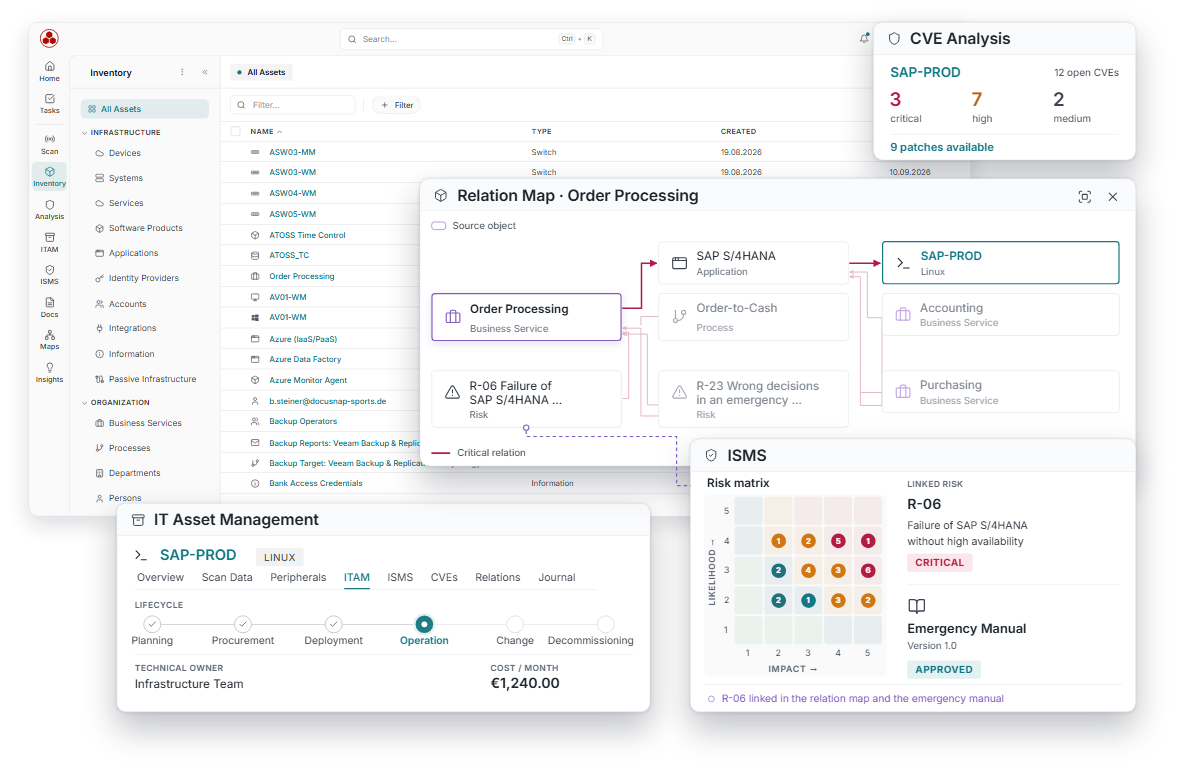
All areas work on the same data foundation. What has been captured once, nobody maintains a second time.
How your trial works
You test with real data, under the same conditions as in production.
ISO 27001
Certified, including the operation of Docusnap365
Hosting in the EU
On Microsoft Azure, with no transfer to third countries
AI in Germany
No training on your data, no sharing with external AI providers
DPA from the first day of your trial
All data protection requirements apply during the trial
More than 5,000 companies use Docusnap. Developed in Germany.






If you have questions, you reach someone who knows Docusnap.
For questions you would like to ask at your own pace, for example about import, gateway, ISMS or asset management.
Phone
Monday to Friday, 8:00 am–5:00 pm. For anything that is quicker to sort out in conversation, for example when the first import or scan does not run as expected.
Webinars
Live webinars on Docusnap, from your first data to getting started with ISMS, with time for your questions.
FAQ
Which systems can Docusnap365 capture?
More than 25 inventory modules cover Active Directory, Windows, Linux and macOS, among others, plus VMware, Hyper-V, Nutanix and Proxmox, Microsoft 365 and Intune, databases, network devices via SNMP and Veeam. All modules are included in every licence.
What do I need to allow in my network for scans?
Only an outbound HTTPS connection from the gateway to Docusnap365. Inbound connections and open firewall ports are not required. No software needs to be installed on the target systems.
Is there a limit on assets or sites during the trial?
No, there is no fixed limit for assets and sites. Only the storage of the trial environment is limited to 5 GB, which corresponds to approx. 4,000 Windows systems. Network devices, printers and other assets take up considerably less. Uploaded documents are kept in unlimited file storage and do not count towards your quota.
Docusnap365 runs on Microsoft Azure. What happens to my data?
Your data is stored in data centres in the Azure West Europe region. The AI model runs in Germany, passes no data to external AI providers and is not trained on your data. The data processing agreement applies from the first day of your trial.
What happens to my data if I do not continue after the trial?
After the trial ends, you can still use your environment read-only for 30 days. After that, your data is deleted.
Which edition can I choose after the trial?
During the trial you use the full scope of the Business edition. After that, you choose the edition that suits you. The pricing overview shows which features are included in which edition.
I already use Docusnap. Can I still try Docusnap365?
Yes. The trial runs independently of your existing installation; nothing changes there.