The most important things in brief
- EDP stands for electronic data processing and describes the automated collection, processing, output and storage of data through electronic systems — in short: the digital nervous system of every company. IT is a sub-area of other IT, not to be equated with it.
- An IT system consists of hardware, software, network infrastructure, peripheral devices and security solutions, which work together according to the EVA principle (input — processing — output). If you don't know and document these components, you quickly lose track of things in an emergency.
- Without structured IT documentation, there is a risk of long downtimes, compliance gaps and uncontrolled access rights. Tools such as Docusnap help IT managers to document their entire IT infrastructure automatically, agent-free and permanently up to date.
What does IT actually mean? The meaning of IT simply explained
Imagine that your company is a living organism. Then she is EDP (electronic data processing) its central nervous system: It ensures that information flows, that decisions are made possible and that all parts of the company can communicate with each other.
EDP Is the abbreviation for Electronic data processing. The term refers to the automated processing of data using electronic devices — primarily computers, servers and networked systems. It was originally written in the 1960s and 70s to describe the transition from manual bookkeeping and data collection to the digital world.
Even though the term “IT” is more common in modern language: EDP remains a firmly established term in German-speaking countries — particularly in public authorities, industrial companies and medium-sized companies. It appears in job advertisements, contracts, insurance policies and official documents — and always means the same thing: the electronic processing of company data.
IT vs. IT — Is it the same?
A question that is frequently asked: Are EDP and IT the same thing? The short answer: No — but they're closely linked.
EDP focuses on the actual process of data processing: input, processing, output and storage of data. IT (information technology) is the overarching term. It also includes network technology, software development, cloud computing, cybersecurity and telecommunications.
Put simply: IT is a sub-area of IT. When you talk about your “IT department,” you usually mean the entire IT organization of the company — a linguistic remnant of the history of digitization that persists stubbornly.
The EVA principle: How electronic data processing works
At the heart of IT is EVA principle — a basic principle that explains how every IT system processes data:
- E — input: Data is brought into the system via input devices (keyboard, mouse, scanner, sensors).
- P — Processing: The processor (CPU) processes the data according to defined algorithms and logical operations.
- A — output: The result is displayed on a monitor, printed out, saved or forwarded to other systems.
The EVA principle is often supplemented by the S for storage (EVAS), as the permanent storage of data is an independent function. All IT systems — from an individual workstation PC to the complex server infrastructure of a large company — follow this basic principle. 🖥️
What does electronic data processing involve?
Components of an IT system
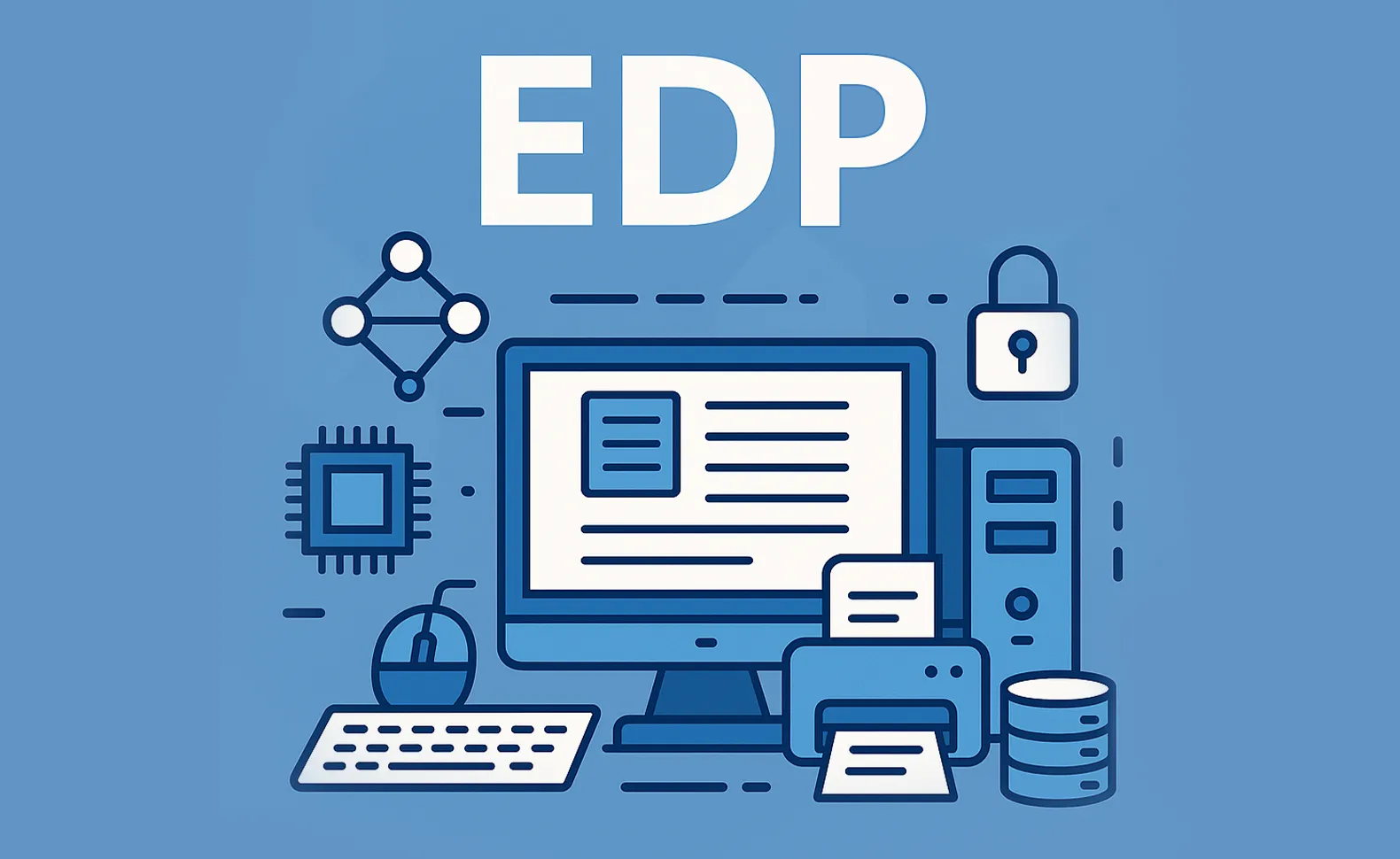
A complete computer system — i.e. the entire network of hardware, software and network in a company — typically consists of the following components:
- Hardware: servers, PCs, notebooks, printers, scanners, network components
- Software: operating systems (Windows, Linux, MacOS), office applications, ERP systems, database solutions, industry software
- Network infrastructure: Routers, switches, firewalls — the so-called IT network, which enables communication between all devices
- Peripherals: external hard drives, barcode scanners, smart card readers, webcams
- Safety solutions: antivirus software, backup systems, access rights management, firewalls
What is a computer system?
The term computer system means the complete technical network of a company — all hardware and software components that are used together for digital data processing. In industry, healthcare and public administration, the IT system is the operational backbone. If it fails or gets out of control, processes stop.
A short history of IT
Electronic data processing has its roots in the early computer systems of the 1950s and 60s. Back then, computers filled entire halls — and the “IT Department” was a place full of punch cards and magnetic tapes.
With the miniaturization of semiconductors in the 1970s, computers spread rapidly. In the 1980s, the term became established EDP for operating and managing these systems in a corporate environment. Today, IT covers cloud servers, mobile devices and highly complex networks — the term has stuck, the complexity has multiplied.
Challenges in the introduction and operation of IT systems
The reality of many IT departments: The IT infrastructure has grown over the years, barely documented and difficult to overview. Anyone who introduces a new solution or modernizes an existing system today typically faces these hurdles:
- Technical complexity: Selecting, configuring and integrating components requires deep expertise and a lot of time.
- Costs and resources: New systems, training, licenses and infrastructure measures weigh heavily on budgets.
- Acceptance within the team: Employees who are not sufficiently involved develop resistance to change.
- Safety requirements: IT systems must be planned in compliance with data protection regulations from the outset — subsequent corrections are costly.
- Missing overview: Established IT landscapes with historical access rights and barely documented dependencies are the normal state of affairs — and a significant risk. 🔍
This is exactly where the connection to the next section lies: the IT documentation.
Why IT documentation is essential for IT managers
Who knows right away which servers are running in the company, who is accessing which approvals and which software is licensed where? In many companies, the honest answer is: No one is so specific.
Missing or outdated IT documentation leads to specific problems in practice:
- Failure scenarios: If a critical server fails and the configuration isn't documented, recovery takes hours or days instead of minutes.
- Compliance risks: Without proof of access rights, licenses and system configurations, companies risk fines — for example as part of GDPR or the BSI IT Basic Protection.
- Shadow IT: Uncontrolled systems and access rights that no one knows anymore are a gateway for attacks.
A structured, up-to-date IT documentation is therefore not an optional feature, but a cornerstone of modern IT governance. 🛡️
IT documentation with Docusnap — automated, complete, always up to date
Here comes Docusnap into play — as a reliable partner for IT managers who not only operate their IT infrastructure, but really want to understand and control it.
Docusnap scans your entire network environment agentless and provides complete, automatically updated documentation for your IT system. What does that mean in practice:
- Automated inventory: All devices, services, users, groups, approvals, software versions and network components are recorded without manual effort — with the Docusnap IT inventory.
- Visualization of IT networks: Network plans, authorization structures and dependencies are displayed as understandable graphics at the push of a button. More about this at Create a network plan.
- Proof of compliance: ISO 27001, BSI Basic Protection or NIS-2 — Docusnap provides the documentary basis for every audit.
- License and rights management: Know who is accessing what and whether everything is correctly licensed — directly via the Permission analysis.
- Disaster recovery: In an emergency, Docusnap provides the basis for a structured IT emergency plan.
Practical example: Server failure in SMEs
Imagine: A medium-sized manufacturing company with 120 employees loses track of access rights and network structure due to the failure of a central domain controller. Without documentation: days of downtime, data loss, compliance risk.
With IT documentation previously created in Docusnap, however, in a comparable scenario, the IT department was able to reconstruct the network status, restore all access rights and resume operations — the damage remained minimal because the basis was right. ✅
Conclusion: Understanding IT — and keeping it under control
EDP is much more than a relic from the early days of computerization. It is still the digital foundation of every modern company today — and therefore the responsibility of IT managers, IT managers and IT administrators, who ensure that this infrastructure runs, is secure and meets requirements on a daily basis.
If you don't just want to operate your IT, but really understand and strategically manage it, you need transparency — about systems, rights, licenses and dependencies. That is exactly the task of a professional IT documentation.
Next steps
The first step towards a secure, transparent IT infrastructure is complete, up-to-date documentation — automated, without additional effort and available at any time. Docusnap delivers exactly that: from inventory to network visualization to rights and license analysis — agentless and ready for immediate use. Try Docusnap now for 30 days free of charge with full functionality: Try it now for free
FAQs
EDP stands for electronic data processing. The term refers to the automated collection, processing, output and storage of data by electronic systems such as computers, servers and networked devices.
EDP focuses on pure data processing (according to the EVA principle: input — processing — output). IT (information technology) is an overarching term that also includes network technology, cloud computing, software development and IT security. EDP is a part of IT.
An EDP system describes the complete technical network of a company — i.e. the entirety of hardware, software and network technology that is used for digital data processing.
The I principle describes the basic function of every EDP system: input → processing → output. It forms the basis of all computer-aided data processing processes. It is often supplemented with the S for storage (IPOS).
Without up-to-date documentation, IT managers lack an overview of systems, access rights and dependencies. This results in long downtimes, compliance risks, and uncontrolled shadow IT. Structured EDP documentation is the basis for secure, rule-compliant IT management.
The next steps:
Anyone who wants to keep their IT infrastructure under control over the long term should rely on automated and structured documentation — preferably as soon as new systems are introduced. Docusnap supports you with functions such as inventory, network visualization, rights analysis and license management — without agents and with minimal effort.
Try it now for free!