The most important facts in brief:
- Structure defines stability and cost: The choice of network topology directly shapes how fault-tolerant, scalable and maintainable your IT infrastructure is — and can be subject to documentation requirements under standards such as ISO 27001, BSI IT-Grundschutz or NIS-2.
- All types in one overview: Star, ring, bus, tree and mesh topology each differ fundamentally in terms of redundancy, costs and fault tolerance. The hybrid topology — combining multiple structures — is the most common configuration in modern enterprise networks.
- Automate documentation instead of maintaining it manually: With Docusnap, you capture your network topology automatically — including Layer-2 and Layer-3 analysis, graphical visualization and regular updates without manual effort.
Network Topologies: All Types Compared & Explained
Picture this: a switch replacement on a Friday afternoon, and suddenly entire departments are unreachable. Troubleshooting takes hours — not because the problem is complex, but because no one knows which devices sit on which segment. That's exactly the difference between a well-documented network topology and an organically grown patchwork of IT infrastructure.
Network topologies describe the structure in which devices in a computer network are connected to each other — physically or logically. They significantly influence the efficiency, reliability and expandability of a network.
In this article, you will find out which network topologies exist, how they compare directly across the criteria that matter — and how Docusnap helps you capture and document your topology automatically.
What Is a Network Topology?
A network topology is the physical or logical arrangement of devices and connections — switches, routers, servers and clients — within a network. It directly determines:
- Fault tolerance: How many connections can fail before the network goes down?
- Scalability: Can the structure grow without major restructuring?
- Cost: How much cabling and hardware does the design require?
- Maintainability: How quickly can faults be localized and resolved?
A fundamental distinction is made between two types:
- Physical topology: the actual, physical cabling between devices.
- Logical topology: the data flows and logical connections between devices, independent of the physical layout.
Why Does Network Topology Matter?
The topology choice is not a purely technical decision — it has direct implications for operations, security and compliance:
- Network security: Certain topologies support security zone segmentation, DMZ structures or access control more naturally than others.
- Troubleshooting: With a clearly documented topology, the source of a failure can be isolated in minutes rather than hours.
- Planning and scaling: A transparent network structure makes expansions plannable and avoids costly ad-hoc redesigns.
- Documentation requirements: Industry standards such as ISO 27001, BSI IT-Grundschutz or sector-specific regulations (NIS-2, KRITIS) require up-to-date network documentation.
The Most Important Network Topologies at a Glance
1. Star Topology 🌟
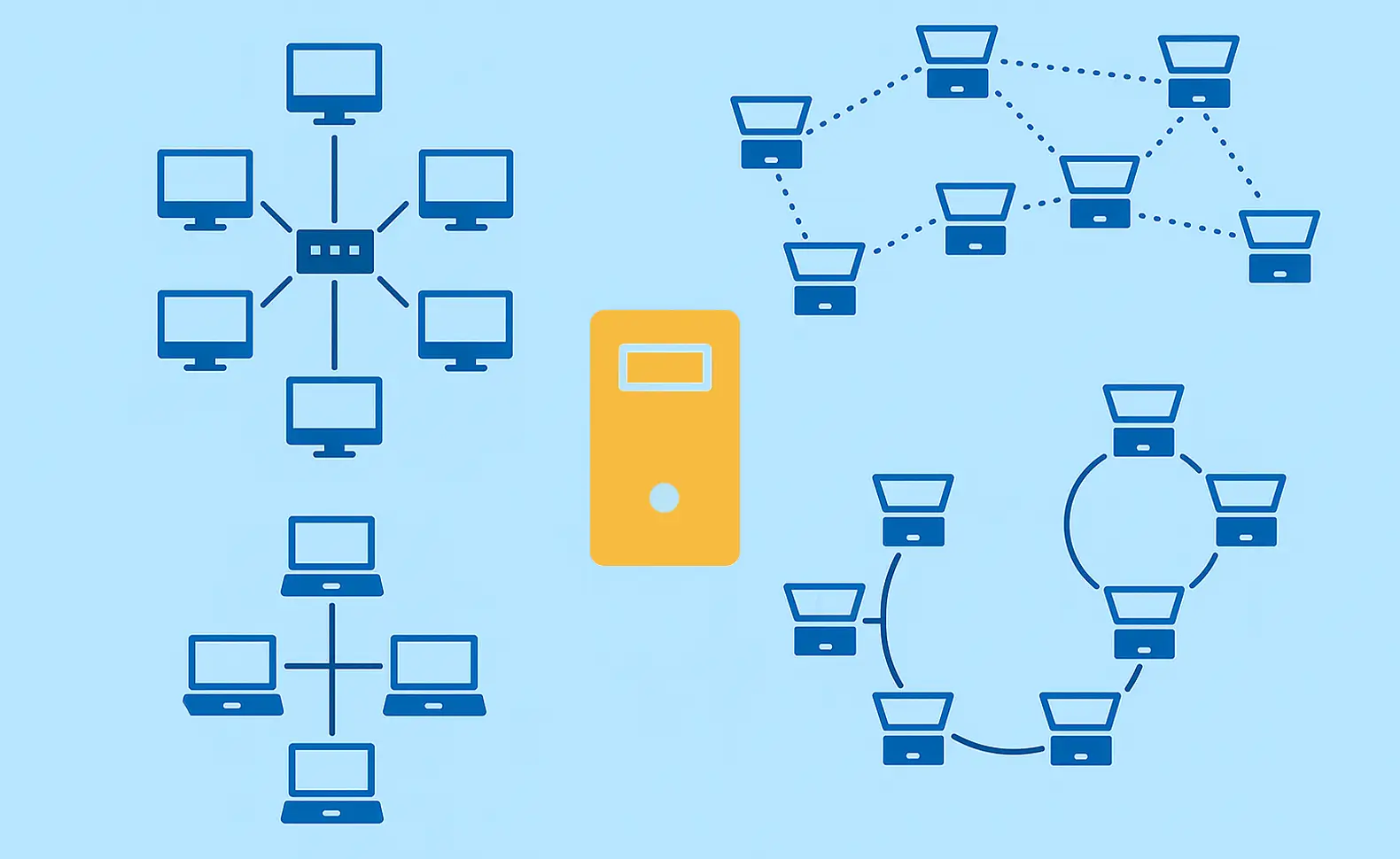
Structure: A central component — typically a switch — connects all devices in a star pattern.
Advantages of the star topology:
- Failure of a single end device does not affect the rest of the network
- Simple fault diagnosis through clear point-to-point connections
- Easy to extend with new devices
Disadvantages:
- Single point of failure: if the central switch fails, the entire segment goes down
- Higher cabling effort than bus topology
Typical use: Standard LAN in corporate environments, office networks of any size.
2. Ring Topology 🔄
Structure: Devices are connected in a closed ring — each node has exactly two neighbours.
Advantages of the ring topology:
- Defined, predictable data flow with fewer collisions
- Large distances possible, especially with fibre optic cabling
- High fault tolerance with dual-ring implementations (e.g. MRP)
Disadvantages:
- Failure of a single node without fallback interrupts the entire ring
- Extending the ring requires a brief network interruption
Typical use: Industrial networks, fibre backbones, legacy token-ring environments.
3. Bus Topology 🚌
Structure: All devices share a single common transmission medium — the bus.
Advantages of the bus topology:
- Very low cabling cost
- Simple setup, fast to install for small or temporary networks
Disadvantages:
- High collision rate under heavy traffic
- Failure of the main cable brings down the entire network
- Barely scalable; today found primarily in legacy systems (e.g. 10Base2, RS-485)
Typical use: Legacy LAN installations, temporary networks, industrial automation.
4. Tree Topology 🌳
Structure: Hierarchical combination of multiple star topologies connected via a central backbone node.
Advantages of the tree topology:
- Highly scalable — new segments can be added without restructuring the core
- Centralized administration at each level of the hierarchy
- Clear segmentation supports security and compliance documentation
Disadvantages:
- Failures at higher hierarchy levels affect all subordinate segments
- Complex to manage as depth increases
Typical use: Large corporate networks, educational campuses, multi-building environments.
5. Mesh Topology 🕸️
Structure: Each device is directly connected to multiple — ideally all — other devices. Available as fully meshed or partially meshed variants.
Advantages of the mesh topology:
- Maximum fault tolerance: data can be rerouted via alternative paths
- No single point of failure with full mesh
- Ideal for critical infrastructure
Disadvantages:
- Very high cabling and configuration overhead
- Complex routing management
- High cost, especially at scale
Typical use: Data centres, campus WLANs, IoT infrastructures, mission-critical enterprise networks.
6. Hybrid Topology 🔀
A hybrid topology combines two or more of the above structures in a single network — typically star and tree, or star and mesh. It is the most commonly encountered configuration in modern enterprise environments, because it flexibly combines the strengths of different structures to match specific requirements.
Advantages of the hybrid topology:
- High adaptability to complex and growing requirements
- Strong scalability and flexibility
Disadvantages:
- Planning, configuration and management are more demanding
- Higher initial setup costs than simple topologies
Typical use: Mid-size and large organisations with multiple sites or mixed network requirements.
Network Topologies Compared at a Glance
The following overview provides a quick reference across the criteria that matter most for operational decisions:
💡 Practical note: There is no universally "best" network topology. Small businesses often opt for the straightforward star topology, while data centres rely on mesh or leaf-spine variants for maximum fault tolerance. The right choice depends on your specific requirements: How critical is a failure to your operations? What budget is available? How much will the network grow?
Document Network Topologies Automatically — with Docusnap
Manually recording and visualizing network topologies is time-consuming and error-prone. With Docusnap, you have a powerful IT documentation solution that captures your network topology automatically — agentless, efficient and always up to date.
Advantages of network topology documentation with Docusnap:
- Automated discovery of all network components and their relationships
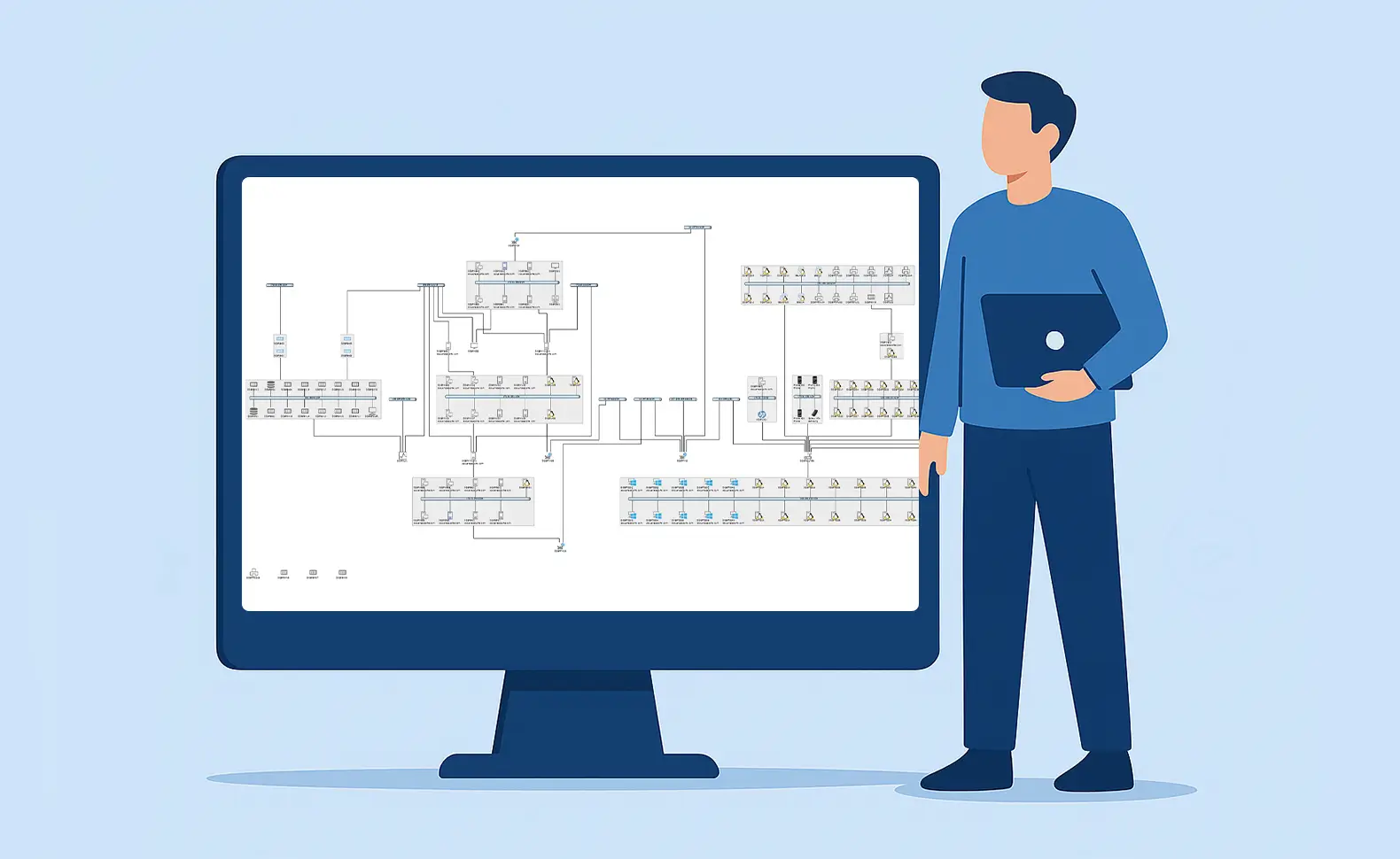
- Graphical representation of the network topology at Layer-2 and Layer-3 level
- Time savings through recurring scans and automatically updated network plans
- Export to multiple formats (e.g. Visio, PDF, HTML)
- Support for compliance with ISO 27001 and BSI IT-Grundschutz through current, audit-ready documentation
More about this feature: Network topology visualization in Docusnap
💡 Practical tip: The Layer-3 topology is particularly valuable in complex networks with VLANs and subnets — it visually reveals communication flows and optimization potential that would otherwise only become apparent during an outage.
What to Consider When Choosing a Network Topology
When designing or evolving your network structure, evaluate these criteria systematically:
- Redundancy and fault tolerance: How critical is a failure for your operations? For business-critical systems, alternative data paths are essential.
- Scalability: Can the topology grow with your organization without requiring fundamental changes?
- Cost: What cabling and hardware budget is realistic? Bus is low-cost; mesh is expensive.
- Maintainability: Well-documented structures significantly reduce troubleshooting time.
- Security architecture: Segmentation and centralized control points can raise your security posture.
- Compliance requirements: Which regulatory standards apply in your industry?
Docusnap helps you keep all of these aspects under control at all times — through automatic inventory, clear network plans and audit-proof documentation. Learn more: IT Inventory with Docusnap
FAQs
There is no single best topology — the right choice depends on your requirements. For small to medium enterprise networks, star topology offers the best balance of cost, manageability and fault tolerance. Data centres and critical infrastructure rely on mesh or leaf-spine topologies for maximum redundancy. In practice, hybrid topologies are the most widespread, because they combine the strengths of multiple structures.
A hybrid topology combines two or more basic topologies in a single network — for example, a tree structure for inter-site connectivity combined with star topologies within individual buildings. It is the most common configuration in modern enterprise networks, because it balances flexibility, scalability and fault tolerance to fit specific requirements.
The physical topology describes how devices are actually wired — i.e. the location of the cables and hardware in the room. The logical topology describes how data flows through the network, regardless of physical cabling. A network can be physically set up as a star but logically correspond to a bus — for example in older Ethernet hubs. Both perspectives are relevant for IT documentation: The physical topology for maintenance and fault diagnosis, the logical topology for security analyses and compliance.
The leaf-spine architecture is a modern version of tree topology, which is primarily used in data centers. It consists of two layers: Leaf Switches connect servers, storage, and other devices; Spine Switches connect all Leaf Switches to each other - everyone to each other. This creates a flat, highly redundant network with short and predictable latency times. Leaf-Spine has largely replaced the classic three-tier hierarchy (core distribution access) in modern data centers because it scales better for cloud applications and east-west traffic.
For many companies, documenting the network topology is not a voluntary best practice, but a regulatory requirement. ISO 27001 requires IT infrastructure documentation as part of the information security management system. BSI IT-Grundschutz defines specific requirements for network plans. NIS-2 and industry-specific requirements such as KRITIS further tighten these requirements for affected organizations. Outdated or missing documentation is not just a compliance problem — it significantly extends downtime in an emergency.
In principle, the documentation should reflect the actual state of the network — i.e. be updated whenever there is a relevant change, but should be checked quarterly at the latest. In practice, this regularly fails due to the effort involved in manual maintenance. Automated inventory tools, which re-capture the topology with every scan, solve this problem structurally.
Next steps
A clearly defined and well-documented network topology is the foundation of a stable, secure and compliance-ready IT infrastructure. With Docusnap, you capture your topology automatically — Layer 2 and Layer 3, graphically presented, always current and without manual maintenance effort. Try Docusnap free for 30 days and start building the foundation for reliable, audit-proof network documentation.
Try now