Key Takeaways:
- What is Shadow IT? Shadow IT refers to the use of IT systems, software, or cloud services without the knowledge or approval of the IT department. Typical examples: freemium SaaS, BYOD, undocumented automations.
- Why does it arise? From time pressure, complex approval processes, and a lack of official alternatives. Employees look for fast ways to get their work done.
- These are the risks of Shadow IT: Security vulnerabilities, data protection violations (GDPR), compliance conflicts (NIS-2), duplicate costs, and uncontrolled data exfiltration.
- Managing Shadow IT – The 7-Step Plan: Inventory → SaaS Discovery → Risk Assessment → Governance → Technical Controls → License Management → Reporting
The Problem Nobody Sees — Until It's Too Late
An IT security scan that was supposed to be routine — and suddenly the dashboard shows hundreds of unauthorized applications running in the network. The IT team had expected a fraction of that.
This is no isolated case: According to BetterCloud, 48% of all enterprise applications today are Shadow IT — software running without the knowledge or approval of the IT department. And according to the IBM Cost of a Data Breach Report 2024, 35% of all data breaches involve Shadow Data — with average additional costs of $5.27 million per incident compared to incidents without Shadow Data involvement.
Employees install software without asking. Marketing books cloud tools outside the budget process. And during the compliance audit, a question comes up that no one can answer: "Where exactly is our customer data being stored?"
You're facing a problem you can't solve — because you don't know how big it really is.
What Is Shadow IT?
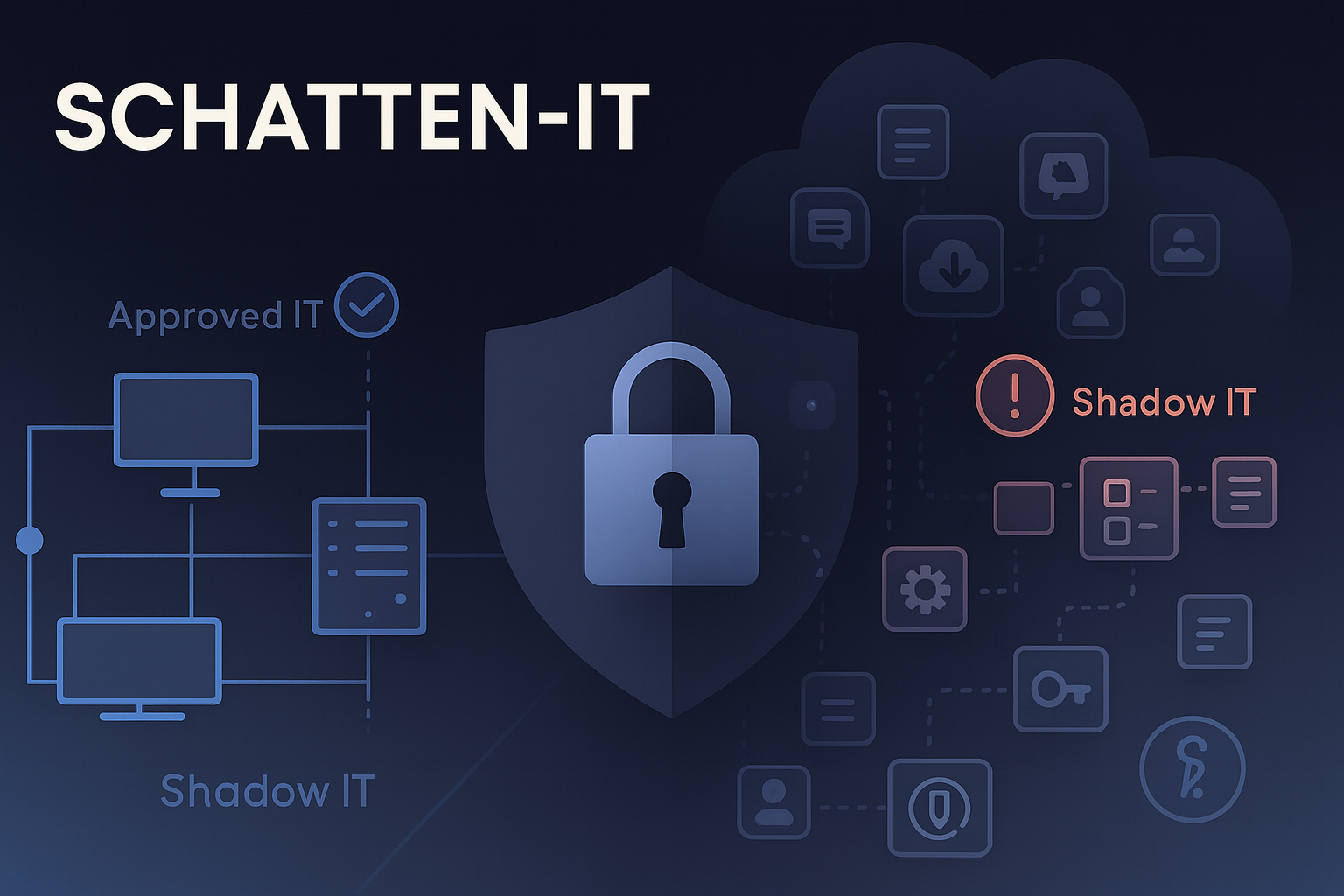
Shadow IT encompasses all IT resources used outside of official IT governance. The Shadow IT definition: Shadow IT refers to unauthorized systems, software, or cloud services used without the knowledge of the IT department.
Examples include:
- Software and cloud services (SaaS) without IT approval
- Personal devices on the corporate network (BYOD)
- Undocumented automations and scripts
- Unknown cloud instances and storage
- Self-procured hardware (routers, access points, USB devices)
In short: Shadow IT is everything employees use to get their work done — without the IT department knowing about it or approving it.
Shadow IT Examples: The 6 Most Common Types (2026)
- Shadow SaaS
Examples: Trello, Notion, Dropbox, ChatGPT, Jasper.ai
Risk Level: 🔴 High - Shadow Endpoints
Examples: Personal laptops, smartphones, tablets, USB sticks
Risk Level: 🔴 High - Shadow infrastructure
Examples: Cloud VMs, S3 buckets, self-hostet servers
Risk Level: 🔴 Very high - Shadow network
Examples: Private WLAN access points, VPNs, hotspots
Risk Level: 🟠 Medium - Shadow automations
Examples: PowerShell scripts, Zapier workflows, IFTTT
Risk Level: 🟠 Medium - Shadow identities
Examples: External guest accounts, service accounts with admin rights
Risk Level: 🔴 Very high
Further real-world Shadow IT examples:
- Marketing uses Canva without IT approval
- Sales stores customer data in a personal Dropbox
- Developers run their own cloud servers for testing
- HR uses unauthorized applicant management tools
- Finance uses private Excel macros with sensitive financial data
Why Does Shadow IT Arise? The Real Reasons
The good news: employees don't act with malicious intent.The bad news: the problem often lies within the IT organization itself.
The 5 Main Causes in Practice
- Time Pressure & Pragmatism
The marketing team needs a Kanban board for a campaign today. The official approval process takes 3 weeks. The solution? A free Trello account takes 5 minutes to set up. - Complex Approval Processes
Five forms, three signatures, two weeks of waiting — for a simple collaboration tool. No wonder teams find workarounds. - Lack of Official Alternatives
IT doesn't offer a modern alternative to Google Docs, Slack, or Notion. Business units resort to self-help. - Budget Authority in Business Units
Marketing, sales, and product development have their own budgets — and book tools directly, without IT involvement. The CMDB knows nothing about it. - BYOD & 'Consumerization'
Employees are used to powerful apps in their personal lives. They expect the same user experience at work — and simply install them themselves.
💡 Practical Insight from Stefan Effenberger:
'In our Docusnap installations, we see an average of 8–12 unauthorized cloud services per business unit. IT usually assumes 20–40 — in reality, it's often over 1,000 applications company-wide.'
Preventing Shadow IT: The Right Approach to Shadow IT
How can you prevent Shadow IT without stifling innovation?
Dealing with Shadow IT requires a balanced approach:
❌ What does NOT work:
- Blanket bans on all unauthorized tools
- Complicated, time-consuming approval processes
- Technical blocks without offering alternatives
✅ What WORKS:
- Fast approval processes: Approve low-risk tools within 24 hours
- Self-service portal: Let employees choose from pre-approved tools themselves
- Modern alternatives: Offer better internal solutions than external tools
- Transparency over control: Make Shadow IT visible instead of demonizing it
- SaaS Management: Central management of all cloud services with clear policies
The key is not to completely prevent Shadow IT, but to identify it, assess it, and channel it in a secure direction.
The Hidden Costs: What Shadow IT Really Means
The External Problem: Security Risks
Your company becomes a target. Cybercriminals look for the weakest link — and that's often unpatched shadow applications:
- Expanded attack surface: Every unmanaged piece of software is a potential entry point
- Missing patches: The IT department can't update what it doesn't know about
- Weak authentication: Shadow apps often don't use multi-factor authentication (MFA)
- Data exfiltration: Confidential information ends up on unsecured servers
Real-world example: A German industrial company lost €2.3 million in 2025 through a ransomware attack via an unregistered Slack workspace. The attacker had access to 5 years of email history and project documents.
The Internal Problem: Loss of Control & Uncertainty
As an IT manager, you lose visibility:
- "Where is our data, exactly?" — You can't answer the question
- "Are we GDPR-compliant?" — Impossible to verify without a complete inventory
- "Which systems need to be restored in an emergency?" — Half of them aren't in your documentation
The result: Sleepless nights. Constant worry about the next audit. The feeling of losing control.
The Organizational Problem: Trust vs. Control
Shadow IT reveals a deeper problem in your organization:
- Trust question: Employees assume that IT doesn't understand their needs
- Innovation blocker: Rigid processes prevent agile working
- Cultural conflict: Control vs. ownership
The truth: You can't solve Shadow IT through bans. You need to make it visible and channel it into structured processes.
Shadow IT Risks: What Risks Does Shadow IT Really Pose?
Shadow IT risks are diverse and often underestimated. Here's what Shadow IT specifically means for your organization and what's at stake.
1. Security Risks & Cyberattacks
The problem:
- Unmanaged software doesn't get patched
- Known security vulnerabilities remain open
- Browser extensions with extensive permissions
- Outdated systems outside of monitoring
The consequence: According to the ENISA Threat Landscape 2024, 68% of all successful cyberattacks are attributable to unpatched or unknown systems.
2. Compliance & Legal Risks
GDPR Art. 28 – Data Processing Agreements: As soon as personal data is processed in a cloud service, a Data Processing Agreement (DPA) must be in place. Without knowledge of which tools are in use: impossible.
NIS-2-Directive (2024): Critical and important facilities must demonstrate a complete IT asset inventory. Shadow IT prevents this.
Potential penalties:
- GDPR: Up to 4% of annual global turnover or €20 million
- NIS-2: Up to €10 million or 2% of annual global turnover
3. Hidden Costs
Duplicate licenses & shelfware: When three departments independently book the same collaboration tool, your company pays three times over.
Average cost trap per year:
- Mid-size companies (100–500 employees): €150,000 – €400,000 for redundant licenses
- Enterprise (1,000+ employees): €1–3 million for unused or duplicate software
Vendor lock-in: Proprietary formats and lack of export options make switching providers expensive and risky.
4. Identity & Access Risks
OAuth app proliferation: Many shadow SaaS services connect via OAuth to Microsoft 365 or Google Workspace. In doing so, they often request more permissions than necessary:
- Read access to all emails
- Write access to OneDrive/Google Drive
- Access to contacts and calendar
Orphaned accounts: After employee offboarding, OAuth grants often remain active. A former employee could theoretically still access company data for months.
5. GenAI & Prompt Leakage (The New Risk in 2026)
Shadow AI is the latest variant.
Employees use ChatGPT, Claude, Gemini & Co. for:
- Summarizing customer conversations
- Optimizing source code
- Translating confidential documents
- Drafting contracts
The problem: All inputs (prompts) are transmitted to external servers and could be used in model training.
According to the 1Password 2025 Annual Report:
- 25% of employees use AI tools without IT approval
- 33% do not follow official AI policies
- Shadow AI is the second most common form of Shadow IT after email
The Solution: Your 7-Step Plan for Control Without Micromanagement
Here's the good news: You don't have to ban Shadow IT — you need to make it visible and manage it.
Below we show you a proven path to move from uncertainty to control in 7 clear steps.
Step 1: Create Transparency — IT Inventory
Your goal: Know what's really running in your network.
How to proceed:
Capture devices & software:
- Use agentless inventory (no software rollouts required)
- Automatically scan all hosts
- Capture installed applications by user
Visualize permissions:
- Evaluate Active Directory / Azure AD groups
- Identify external shares
- List admin rights
Map network & infrastructure:
- Identify unknown systems in the network
- Inventory cloud resources
- Make shadow infrastructure visible
With Docusnap:
✅ Automated, agentless capture of all IT assets
✅ Network diagrams in real time
✅ Permission analyses including external shares
✅ Clear reports for management and audits
Step 2: SaaS Management & Discovery — Uncover Unknown Cloud Services
Goal: Find out which cloud apps your employees are actually using.
How to proceed:
Establish SaaS Management:Effective SaaS Management is the foundation for control over cloud services:
- Central overview of all SaaS applications in use
- Governance rules for procurement and usage
- License optimization and cost control
- Compliance monitoring (GDPR, NIS-2)
Analyze proxy & DNS logs:
- Analyze which SaaS domains are being accessed
- Identify patterns: who uses what, how often?
- Prioritize by data volume
Audit browser extensions:
- Which Chrome/Edge/Firefox extensions are installed?
- What permissions do these extensions have?
- Particularly critical: "Read/write access to all websites"
Inventory cloud accounts:
- Microsoft 365: Which OAuth apps are connected?
- Google Workspace: Which third-party integrations exist?
- Salesforce, Slack & Co.: Which custom apps are running?
With Docusnap:
✅ Installed applications per host & user
✅ Comparison with approved tool list
✅ Automatic shadow SaaS detection
Step 3: Risk Assessment & Prioritization
Your goal: Not everything is equally critical. Focus on the biggest risks.
Evaluation criteria:
- Data type
- Low: public
- Medium: Internal
- High: Personal / Confidential
- Access model
- Low: MFA + RBAC
- Medium: Password + MFA
- High: Password only
- Patch status
- Low: Auto-update
- Medium: Manual, current
- High: Outdated / EOL
- DPA
- Low: Present & reviewed
- Medium: Present
- High: Missing
- Data location
- Low: EU/EWR
- Medium: USA (Adequacy)
- High: Third country, no guarantees
Create a risk matrix:Probability of occurrence × Impact = Risk Score
Impact dimensions:
- Financial (fines, damages)
- Regulatory (compliance violations)
- Reputational (loss of customer trust)
With Docusnap:
✅ Reports on critical permissionsn
✅ Overview of external shares
✅ Analysis of admin groups
→ Rapid identification of hotspots
Step 4: Establish Governance — Policies With a Sense of Proportion
Your goal: Create clear rules without stifling innovation.
Find the balance:
✅ Clear policies for critical areas (personal data, finance, development)
✅ Fast approvals for low-risk tools (e.g. collaboration, productivity)
✅ Self-service portal for approved standard tools
Your policy should cover:
1. Data classification:
- Public / Internal / Confidential / Secret
- Which data may be processed where?
2. Tool approval process:
- Low-risk: Auto-approval or 1-click approval
- Medium-risk: Review by IT Security (48h SLA)
- High-risk: Thorough review including Legal & Data Protection
3. Responsibilities for tool users:
- Business Owner: Responsible for operational use
- Technical Owner: Responsible for configuration & updates
- Data Owner: Responsible for data classification
4. Data Processing Agreements (GDPR Art. 28):
- DPA template for fast execution
- List of approved cloud providers with pre-vetted contracts
- Standard Contractual Clauses (SCC) for third-country transfers
With Docusnap:
✅ Standardized reports & documentation as audit evidence
✅ Audit-proof documentation of all IT assets
✅ Change history for compliance
Step 5: Implement Technical Controls
Your goal: Prevention through technology — where it makes sense.
Identity & Access Management (IAM):
- Single Sign-On (SSO) for all approved SaaS apps
- Multi-Factor Authentication (MFA) mandatory
- Conditional Access: access only from managed devices
- Just-in-Time Privileged Access: admin rights on request, time-limited
Device hygiene:
- Endpoint Detection & Response (EDR) on all devices
- Patch management: automatic updates for OS & software
- Device compliance: only hardened devices can access resources
Data controls:
- Data Loss Prevention (DLP): prevent data exfiltration
- Cloud Access Security Broker (CASB): monitor & control SaaS usage
- Encryption: at rest & in transit
- Backup & recovery: also for approved SaaS apps
Network segmentation & monitoring:
- Zero Trust Network Access (ZTNA)
- SIEM integration: Security Information & Event Management
- Anomaly detection: AI-based threat detection
⚠️ Important: Technology alone doesn't solve the problem. The combination of governance, technology, and awareness is the key.
Step 6: License Management & Cost Control
Your goal: Transparency over software spending, avoiding duplicate purchases.
What you need to find out:
- Who uses which software, and how often?
- Which subscriptions are redundant?
- Where is there "shelfware" (paid but unused licenses)?
- Can you consolidate and save costs?
Typical savings potential:
- 15–30% of licenses are unused or redundant
- Average savings: €80,000 – €250,000 per year (for 200–500 employees)
Optimization levers:
- Consolidate: Replace multiple tools with one platform (e.g. Microsoft 365 instead of 5 separate tools)
- Cancel: Terminate unused subscriptions
- Renegotiate: Negotiate volume discounts with major vendors
With Docusnap:
✅ License management module: overview of all licenses
✅ Usage analysis: who actually uses what?
✅ Compliance check: are you under- or over-licensed?
✅ Cost optimization reports: where can you save?
Step 7: Continuous Reporting & Training
Your goal: Keep Shadow IT under control long-term — through monitoring & awareness.
Reporting cadence:
Weekly:
- New, unknown systems in the network
- Critical security alerts
- MFA compliance rate
Monthly:
- Shadow IT trends: which new tools are being used?
- License utilization: usage of approved software
- Open items from risk assessment
Quarterly:
- Management report: costs, risks, progress
- Governance policy review: does anything need adjusting?
- Benchmark against previous quarter
Annually:
- Comprehensive IT security audit
- Strategic IT roadmap review
- Budget planning for the next year
Awareness & Training:
For all employees (twice a year):
- Why is Shadow IT a problem?
- How can official tools be used?
- How is new software requested?
For managers (quarterly):
- Their responsibility for IT governance
- Risks in their department
- Best practices for secure collaboration
Format: Short learning nuggets (5–10 minutes), not lengthy training marathons. Gamification and incentives increase participation rates.
With Docusnap:
✅ Scheduled scan runs: automatic inventory
✅ Export functions: reports for management, audits, ISMS
✅ Dashboard: live overview of IT landscape
✅ Alert functions: notifications for critical changes
Modern Controls: GenAI, OAuth & More
Managing Shadow AI Properly
The GenAI Challenge
Employees use ChatGPT, Claude, Gemini, and specialized AI tools for:
- Code reviews & debugging
- Content creation
- Data analysis & visualization
- Meeting summaries
The risks:
- Prompt leakage: confidential information ends up on external servers
- Training data: inputs could be used in AI model training
- Unclear storage locations: where are chat histories stored?
- Browser extensions: extensive permissions on all websites
Your GenAI Policy (in 4 steps):
1. Create an allow/blocklist:
✅ Permitted: Enterprise AI tools with DPA (e.g. Microsoft Copilot for Business, Claude for Work)
⚠️ Restricted: Public LLMs for non-sensitive data only
🚫 Prohibited: AI tools from third countries without data protection guarantees
2. Define red lines:
- No personal data in public AI services
- No trade secrets, source code, or contracts
- No login credentials or API keys
- No confidential customer data
3. Set a retention policy:
- How long may AI-generated content be stored?
- Where are chat histories archived?
- Who has access?
4. Control browser extensions:
- Organizational capture process: approval request (owner, purpose, data class)
- Review every 6 months: is the extension still needed?
- Technical control via endpoint management
- Only approved extensions installable
Reducing OAuth App Risks
Understanding the problem
Many SaaS tools connect via OAuth to Microsoft 365 / Google Workspace. In doing so, they often request more permissions than necessary.
Example Slack integration:
✅ Necessary: Read profile info, access calendar
❌ Excessive: Write access to all emails, access to all OneDrive files
Orphaned App GrantsEmployees leave the company → OAuth token remains active → Former employees could theoretically still access data.
Your OAuth strategy (in 5 steps):
1. Create an inventory:
- Which apps are authorized per user group?
- Which scopes (permissions) were granted?
- When was the app last used?
2. Scope review based on the principle of least privilege:
- Does the app really need write access?
- Is read access not sufficient?
- Can you limit access to specific folders/files?
3. Assign owners:
- Business Owner: Who in the business unit is responsible?
- Technical Owner: Who in IT handles configuration & updates?
4. Re-consent ritual (biannually):
- All apps must re-request permissions
- Unused apps are automatically revoked
- Review by IT Security
5. Offboarding process:
- On employee departure: revoke all OAuth tokens & grants
- Embed checklist in HR process
- Automation via Identity Governance tools
SSPM, CASB, ASM: The Security Stack Pyramid
Modern IT security combines several layers of control:
ASM (Attack Surface Management)
→ Monitor external attack surface → Forgotten subdomains, open S3 buckets → Exposed services at the perimeter
CASB (Cloud Access Security Broker)
→ Visibility & control of all cloud services → DLP (Data Loss Prevention) → Shadow SaaS Discovery & Control
SSPM (SaaS Security Posture Management)
→ Configuration & permissions in SaaS platforms → Monitoring of M365, Google Workspace, Slack → Compliance checks & misconfigurations
When do I need what?
- SSPM: You use large SaaS platforms (Microsoft 365, Google Workspace) and want to prevent misconfigurations
- CASB: You want visibility across ALL cloud services and want to enforce DLP
- ASM: You want to monitor your external attack surface (relevant for all organizations)
Docusnap works as an inventory solution and provides the data foundation for these security tools:
- IT asset inventory flows into CMDB
- Permission data feeds into IAM systems
- Network diagrams inform SIEM/SOC
SaaS Management: The Key to Shadow IT Control
What Is SaaS Management and Why Does It Matter?
SaaS Management refers to the centralized management, monitoring, and optimization of all Software-as-a-Service applications in your organization. It is the critical building block in the fight against Shadow IT.
The 5 pillars of effective SaaS Management:
1. Discovery & Visibility
- Automatic detection of all SaaS apps in use
- Identification of shadow SaaS via proxy/DNS analysis
- Overview of user counts and access rights
2. Governance & Compliance
- Central approval processes for new SaaS tools
- Compliance checks (GDPR, NIS-2, ISO 27001)
- Data Processing Agreements (DPAs) managed centrally
3. Cost Optimization
- License overview and usage analysis
- Identification of duplicate licenses and shelfware
- Negotiation of volume discounts
4. Security & Risk Management
- Security assessment of each SaaS application
- OAuth app management
- Integration with CASB and SSPM
5. User Experience
- Self-service portal for approved apps
- Single Sign-On (SSO) for all SaaS tools
- Fast provisioning of new applications
With Docusnap as the foundation for SaaS Management:
Docusnap provides the inventory data you need for successful SaaS Management:
- Which applications are installed where?
- Who actually uses which tools?
- Where are there redundancies and savings potential?
Combine Docusnap with dedicated SaaS Management platforms for maximum control over your cloud landscape.
NIS-2 & ISO 27001: Meeting Compliance Requirements
NIS-2 Obligations for Critical Facilities
Minimum requirements (Art. 21 Para. 2):
- Risk analysis: Systematic risk management (Step 3)
- Supply chain security: Control over service providers & SaaS (Steps 2 + 4)
- Incident handling: Processes for detection & response (Step 7)
- Access control: IAM, MFA, Privileged Access (Step 5)
- Business continuity: Emergency & recovery plans
Reporting obligations (Art. 23):
- Early warning: Within 24 hours of becoming aware of a serious incident
- Full report: Within 72 hours
- Final report: No later than 1 month after the incident
Without a complete IT inventory: impossible to fulfill.
Preparing for an ISO 27001 Audit
What auditors want to see:
- Asset register: Complete inventory of all IT resources (A.8.1)
- Access control matrix: Who has access to what? (A.9)
- Risk assessment: Documented risk analysis (A.6.1)
- Policies & procedures: Guidelines for IT usage (A.5.1)
- Change management: Traceable change processes (A.12.1)
- Incident response: Incident handling process (A.16.1)
With Docusnap:
✅ All reports at the click of a button
✅ Point-in-time snapshots of the IT landscape
✅ Change history for traceability
✅ Audit-proof documentation
The Cost of Waiting: What Happens If You Do Nothing?
Imagine it's 6 months from now...
Scenario 1: You took action ✅
- You know every system in your network
- Employees use approved, secure tools
- Compliance audits are routine, not stressful
- Your budgets are transparent and optimized
- You sleep soundly, even when thinking about IT security
Scenario 2: You waited ❌
- A ransomware attack via an unknown app costs your company millions
- The GDPR supervisory authority imposes a fine for missing DPAs
- During the compliance audit, you cannot prove where your data is stored
- Management loses confidence in the IT department
- You lie awake at night wondering: "What do we actually NOT know?"
The truth: Shadow IT doesn't disappear on its own. It grows every day.The question is not IF you act — but WHEN.
Summary: Your Path from Uncertainty to Control
You're facing a problem you can't solve — because you don't know how big it is.
Shadow IT is not a purely IT problem. It is an organizational problem, a security risk, and a trust problem all at once.
The good news: You don't have to be perfect. You just have to start.
Shadow IT is not inevitable — with the right approach, you can minimize risks while simultaneously fostering innovation. The key is not to prevent Shadow IT through bans, but through better alternatives, fast processes, and effective SaaS Management.
The 3 most important takeaways:
1. Transparency is the keyYou can't secure what you don't know. Use agentless tools like Docusnap to get a complete overview within 24 hours.
2. Governance beats bansShadow IT arises from real needs. Offer secure alternatives with fast approval processes — then employees will voluntarily use the official tools.
3. Control without micromanagement is possibleWith the 7-step plan, you'll find the balance between security and innovation. You give employees freedom — within clear guardrails.
Ready to Regain Control?
Your situation won't improve on its own. But you can take the first step today.
Docusnap gives you the transparency you need — free for 30 days:
✅ Agentless inventory — no complex installation
✅ Immediate results — first insights after 1 hour
✅ Full feature set — no restrictions
✅ Personal support — we help you with setup
No credit card required. No commitment. No hidden costs.
▶ Try Docusnap free for 30 days
📚 Weitere Artikel zum Thema:
- Identifying and Managing IT Risks
- NIS-2 Compliance: What Companies Need to Do Now
- ISMS Certification to ISO 27001
- IT Emergency Handbook: Best Practices
🔗 Externe Quellen:
FAQs
Shadow IT refers to IT systems, software, or cloud services that employees use without the knowledge or approval of the IT department. Typical examples include freemium SaaS tools such as Trello or Notion, personal cloud storage for company files, ChatGPT for confidential documents, personal smartphones on the corporate network, or unauthorized cloud VMs.
The main causes are time pressure, complex IT approval processes, a lack of official alternatives, and budget authority within business units. Employees rarely act with malicious intent — they are looking for pragmatic ways to get their work done.
Shadow IT increases security risks through unpatched software and missing MFA, jeopardizes compliance (GDPR, NIS-2), causes hidden costs through duplicate licenses, and leads to a loss of control over company data. Particularly critical: GDPR Art. 28 (missing data processing agreements, fines of up to 4% of annual revenue), data leakage to unsecured servers, orphaned OAuth accounts, and prompt leakage with AI tools. NIS-2 also requires complete IT inventories — shadow IT makes this impossible.
Approved IT is documented, managed by the IT department (patches, backups, security), has clear responsibilities, and meets compliance requirements. Shadow IT operates without these controls, flying “under the radar.”
Mid-sized companies (200–500 employees) face average annual costs of €150,000–€400,000 through duplicate licenses, unused subscriptions, and security incidents — plus potential GDPR fines.
Through IT inventory (e.g. agentless with Docusnap), SaaS discovery via proxy/DNS log analysis, permission analysis (OAuth apps in Microsoft 365/Google Workspace), and employee surveys.
Bans do not work. Shadow IT emerges because real needs are not being met. It shows that employees are looking for innovative ways to be productive — the problem is the lack of control. The solution: make it visible, assess the risks, and offer secure, approved alternatives with fast approval processes.
Establish fast approval processes for low-risk tools, a self-service portal for approved tools, modern internal alternatives to popular external services, and SaaS management with a central overview. Regular awareness training is a useful complement.
Docusnap for agentless inventory and documentation, CASB (Cloud Access Security Broker) for SaaS control, SSPM (SaaS Security Posture Management) for Microsoft 365/Google Workspace, and EDR (Endpoint Detection & Response) for device security.
Create a GenAI policy with an allow/block list, define clear red lines (no confidential data in public AI tools), offer company-owned solutions such as Microsoft Copilot for Business, and monitor browser extensions.
Next Steps:
Put it to the test and uncover your Shadow IT today. What you get: ✅ Full feature set — no restrictions ✅ Agentless inventory — no complex installation ✅ Immediate visibility — first results after 1 hour ✅ Personal support — our team helps you with setup
Try now for free