Make IT dependencies visible
Which systems are connected, what happens when one fails, and which change affects which service? Docusnap365 discovers these relationships automatically and keeps them current.
What happens when dependencies stay invisible
Most IT environments have grown over years. Servers, databases, cloud services and applications are interconnected in countless ways. As long as this knowledge only exists in people's heads or in outdated Visio drawings, it is missing precisely when it is needed most.
Changes without visibility
A database server gets an update. Three applications that depend on it were not documented. The result: unplanned downtime and a weekend in the office.
Cascade failures without explanation
A single component fails. Within minutes, more services go down. Without a relationship map, the incident team starts from scratch.
Audit without evidence
The auditor asks which systems depend on the mail service. Anyone who has to piece that answer together from memory loses time and credibility.
Migration into the unknown
A server is moving to the cloud. Which services run on it? Which systems connect to it? Without inventory data, planning turns into guesswork.
How dependencies become visible
Automated inventory scans capture systems, software and configurations across the entire infrastructure. During each scan, relationships between components are identified and stored in a central CMDB. Graphical views make the dependencies visible. Regular scans keep the picture current, so the impact of changes or outages can be assessed immediately. What cannot be captured automatically, you add manually or via import.
Discover
More than 25 inventory modules scan Windows, Linux, VMware, Hyper-V, cloud services and network devices, among others. Relationships between components are captured automatically during each scan.
Store
All data goes into a shared CMDB. On-premises and cloud in the same data structure, extended with custom fields and object types.
Visualize
Topology maps, network maps and dependency diagrams are generated directly from the inventory data. Export as Visio or PDF.
Keep current
Scheduled scans update the data automatically. The CMDB always reflects the current state of the infrastructure, without manual maintenance.
From inventory to a complete relationship map
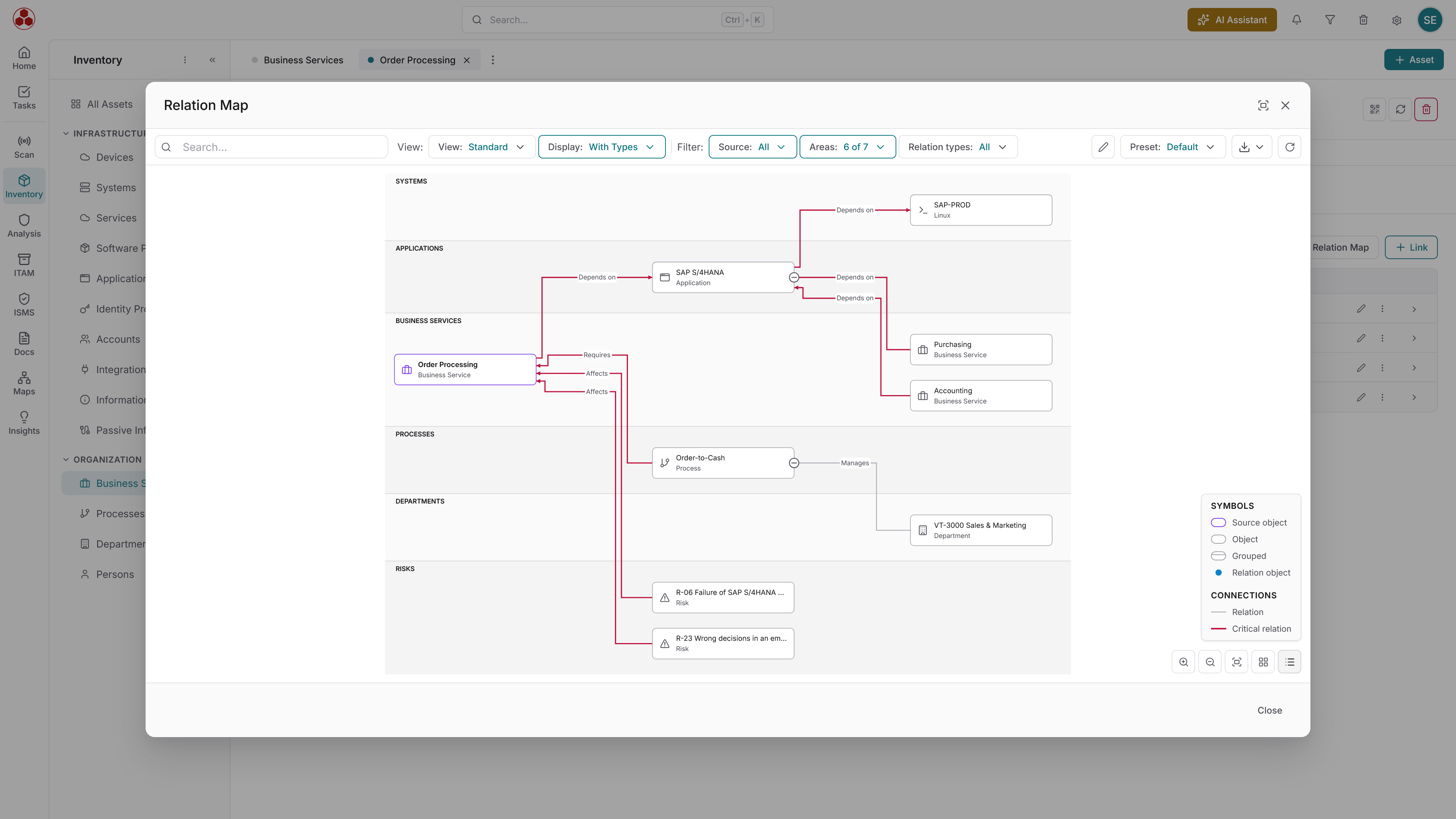
Technical dependencies between systems
Docusnap365 identifies relationships between IT components during inventory. Databases and the applications that access them. Virtual machines and their hosts. Network devices and the systems that communicate through them. These connections are stored in the CMDB and displayed as graphical dependency diagrams. Critical connections can be flagged explicitly.
Business services and organizational structures
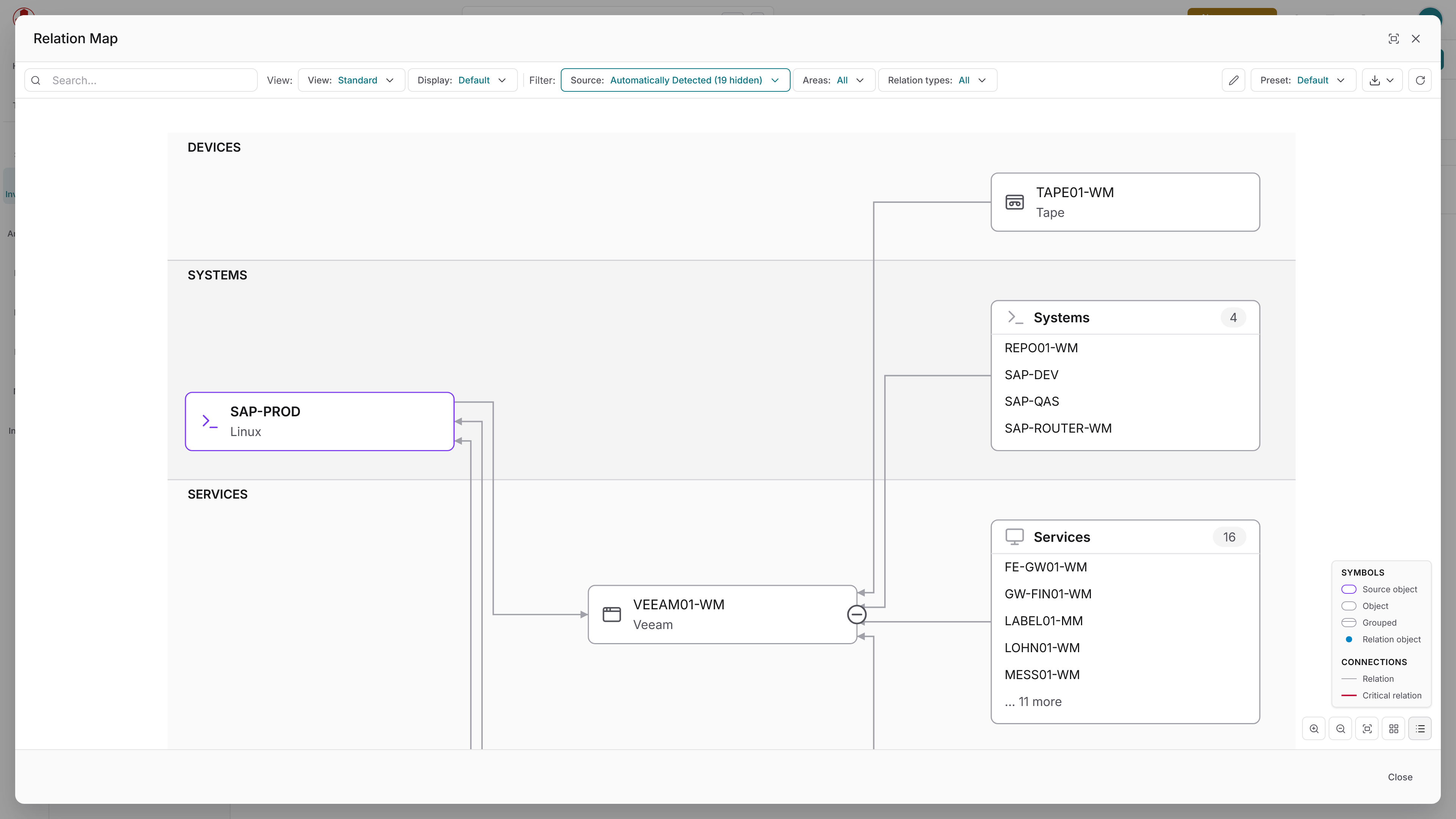
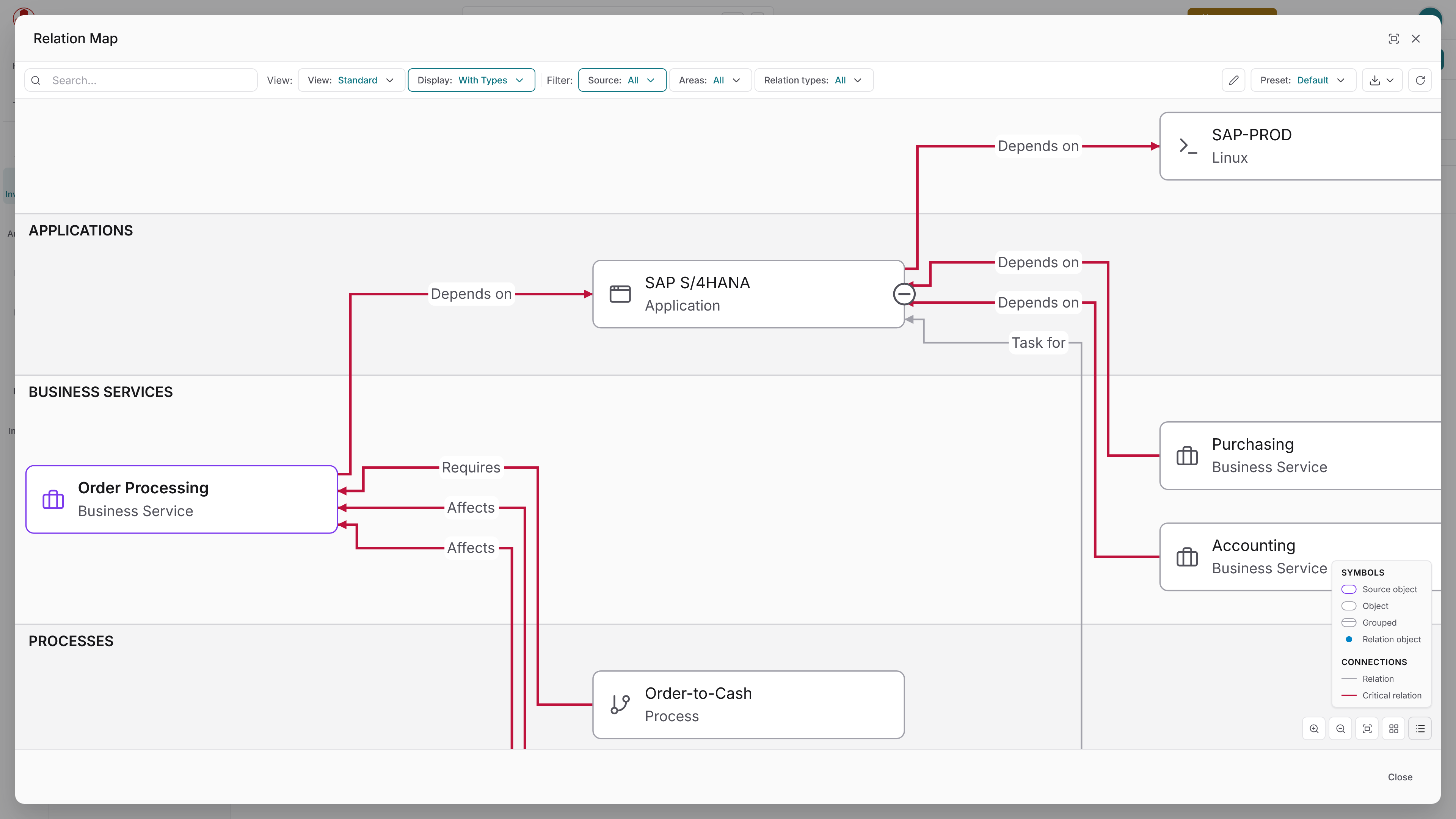
IT does not exist in a vacuum. Locations, departments and business processes depend on technical systems. Docusnap365 maps these business structures alongside the technical infrastructure in the CMDB. This makes it visible which business processes are affected when a specific system goes down.
Network and topology maps
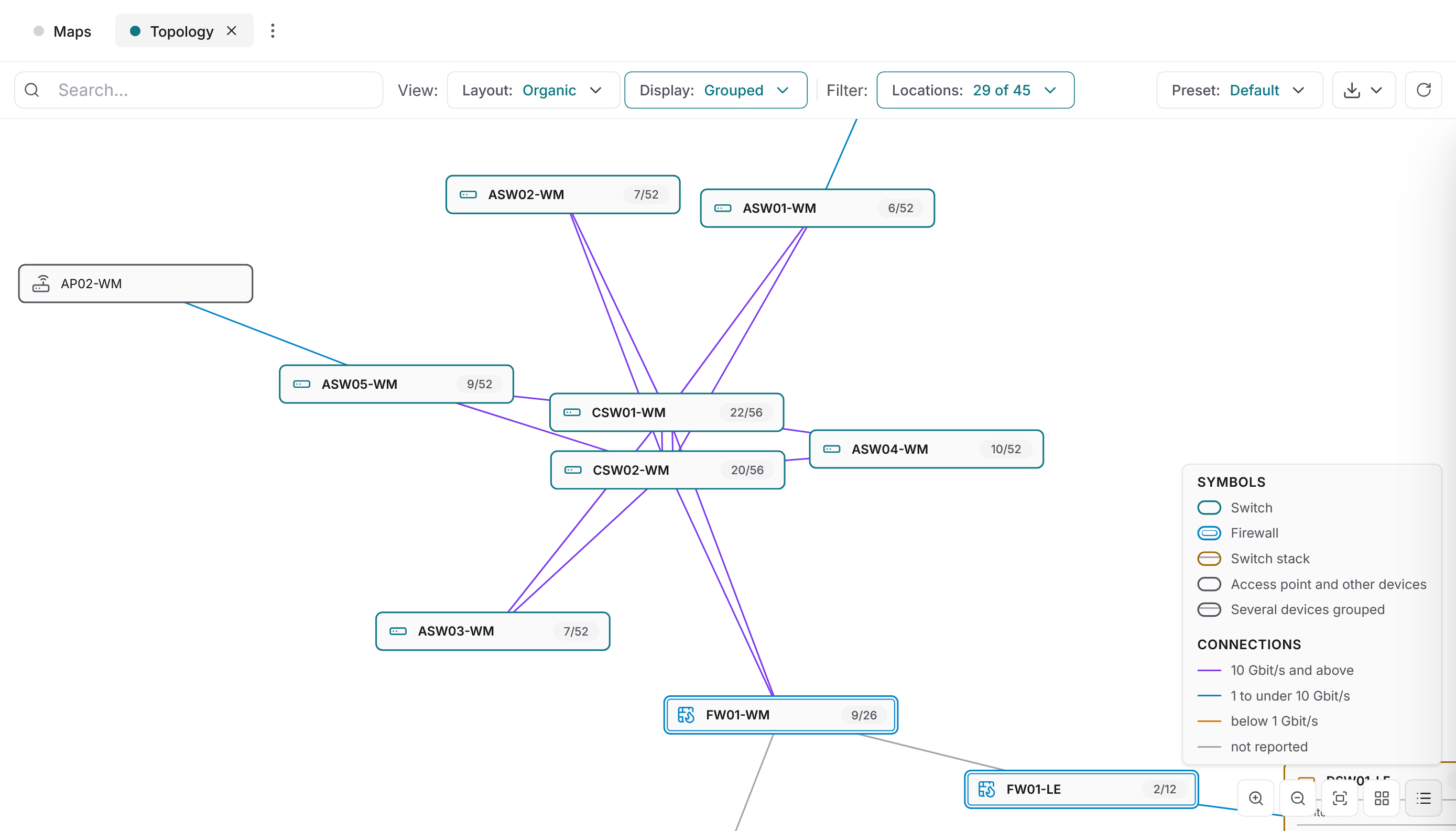
Docusnap365 generates topology maps, network maps and routing maps from the inventory data. These maps update with every scan and show the actual structure, not a drawing from two years ago. If you want to keep your entire network documentation under control, this is where to start.
Three steps to documented dependencies
Frequently asked questions about IT dependencies
Which dependencies does Docusnap365 discover automatically?
During inventory, Docusnap365 identifies relationships between systems reachable through standard protocols. Examples: VMs and their hosts, databases and the systems they run on, Active Directory users and their group memberships, M365 licenses and their assignments. The exact coverage depends on which inventory modules are used.
How do documented dependencies stay current?
Scheduled scans update the CMDB regularly. Each inventory module can have its own scan frequency. This keeps your IT documentation current without manual effort.
Can dependencies that are not discovered automatically be captured as well?
Yes. Relationships that cannot be derived from scan data can be created directly in the interface via drag-and-drop. CSV/Excel import, the REST API and the MCP interface are also available. All manually added relationships feed into the same data model as the automatically discovered ones.
How does dependency knowledge help with IT disaster recovery planning?
Knowing which systems are connected lets you plan recovery sequences and assess the impact of an outage in advance. Docusnap365 provides the data foundation for this planning. More on the page Be prepared for an IT emergency.
In which formats can dependency diagrams be exported?
Dependency diagrams and network maps can be exported as Microsoft Visio and PDF. This makes them directly usable in other tools, such as IT concepts or disaster recovery documentation.
Make your dependencies visible
Try Docusnap365 for free in your own environment. The gateway is set up in minutes, and your first scan immediately shows you which systems are connected.