Platform
Docusnap365 works the way your IT needs it to
Customize fields, object types and interfaces yourself. No feature requests, no release cycles.
14 days, full functionality, no credit card
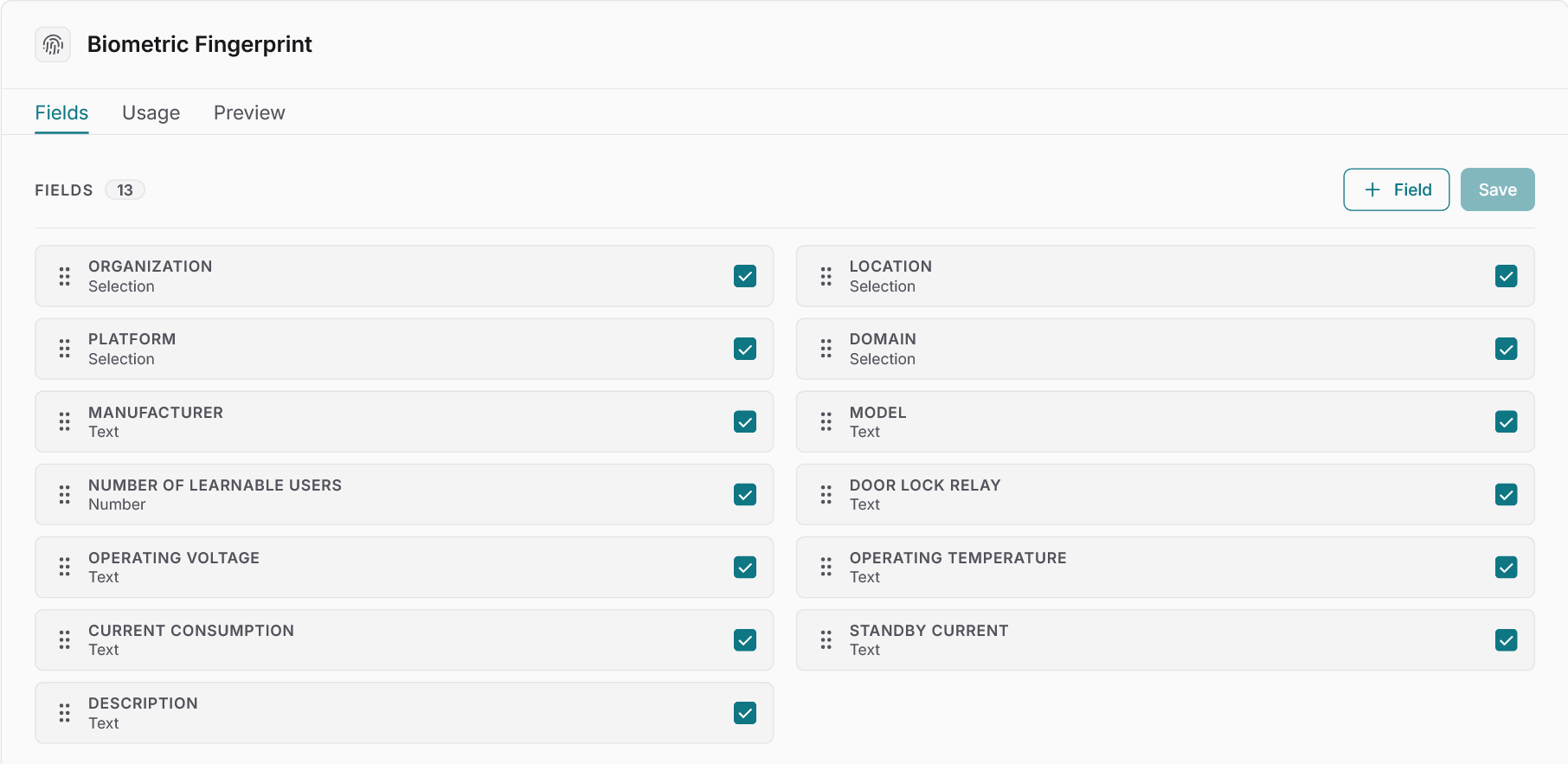
Your processes define the data model
Docusnap365 adopts your conventions: cost centers, site codes, risk classes. Custom fields and object types extend the data model, saved queries deliver recurring reports, and the REST API connects the inventory to procurement, ITSM or HR.
You make the changes yourself, in the interface, whenever you need to.
Customize
What you can change in Docusnap365
Custom fields and object types
Add custom fields to any inventory object, globally or per type. When the standard model does not cover something, create a dedicated object type. What would otherwise end up in a spreadsheet gets a proper place in the inventory.
ITAM and ISMS assessment logic
Adapt thresholds, risk classes and platforms to your own conventions. Docusnap365 does not impose an assessment schema that has to be bent into shape first.
Saved queries
Build recurring reports as saved queries. The numbers arrive at the click of a button, with no ticket to the IT department and no detour through a reporting provider.
SmartDocs and personal settings
Headers and footers turn SmartDocs into documents in your corporate layout. Every user works in their own view, including dark mode.
Integrate
Docusnap365 in your system landscape
Inventory data that lives in only one system loses its value. Docusnap365 offers three ways to connect the inventory with the rest of your landscape.
REST API for reading and writing
Retrieve data from Docusnap365 or write back from procurement, ITSM and HR. Because the API works in both directions, manual re-entry is no longer needed.
MCP interface
Connect your own AI tools via the Model Context Protocol. Docusnap365 provides the structured inventory data, your tool works with it.
Export to standard formats
Export data to common formats at any time. The inventory remains usable outside Docusnap365, with no vendor lock-in.
Common questions about customization and integrations
Which fields can be customized in Docusnap365?
Can custom object types be created?
What interfaces does Docusnap365 offer?
Can Docusnap365 be connected to an ITSM system?
Do I need programming skills for the customizations?
Try Docusnap365 in your own environment
14 days, full functionality. See for yourself how Docusnap365 adapts to your processes.
No credit card, no automatic renewal