Platform
The CMDB that documents your IT for you
Docusnap365 captures hardware, software and networks automatically, detects dependencies and delivers up-to-date IT documentation at all times. AI-powered and with over 25 scan modules.
No credit card required
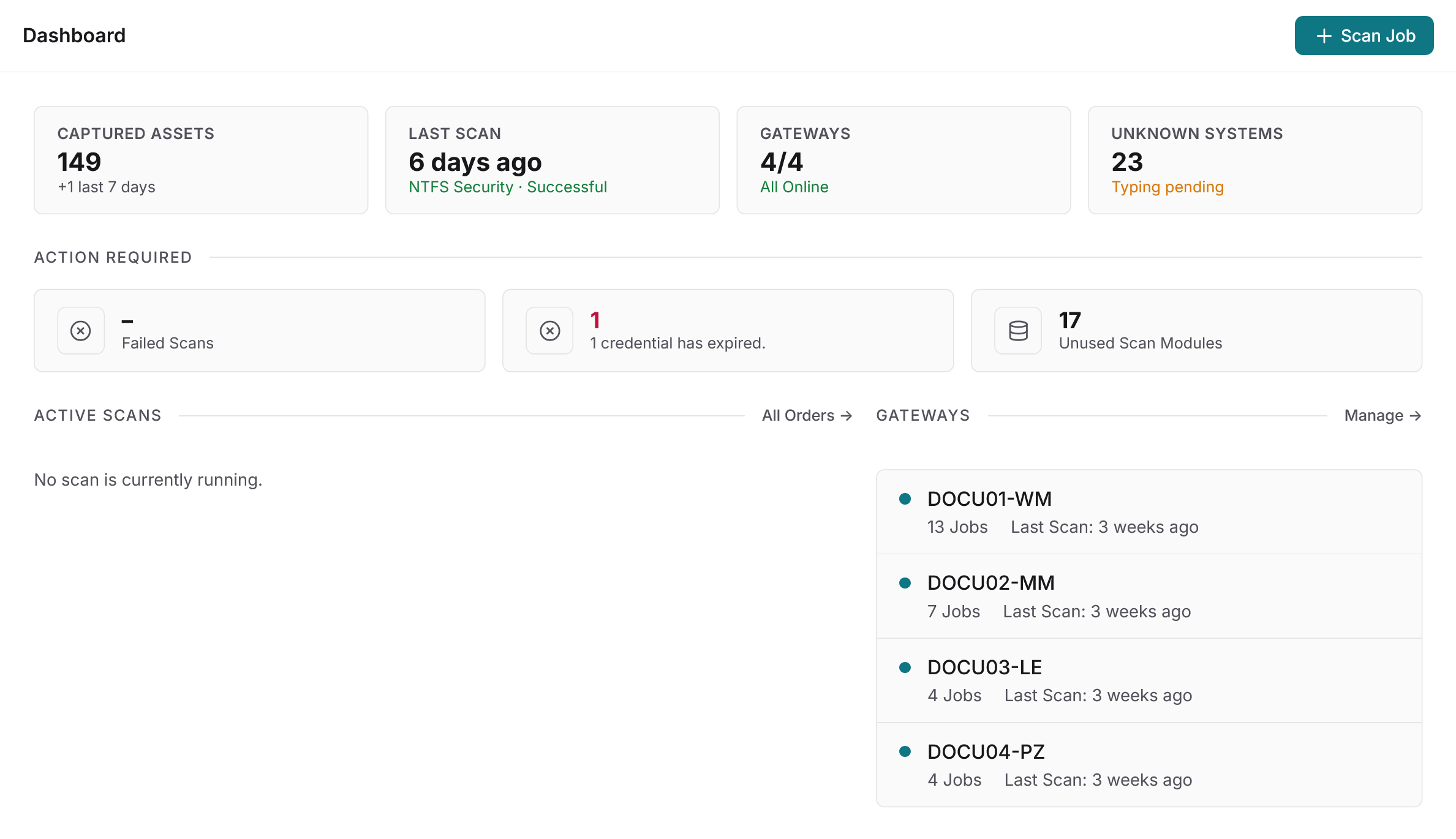
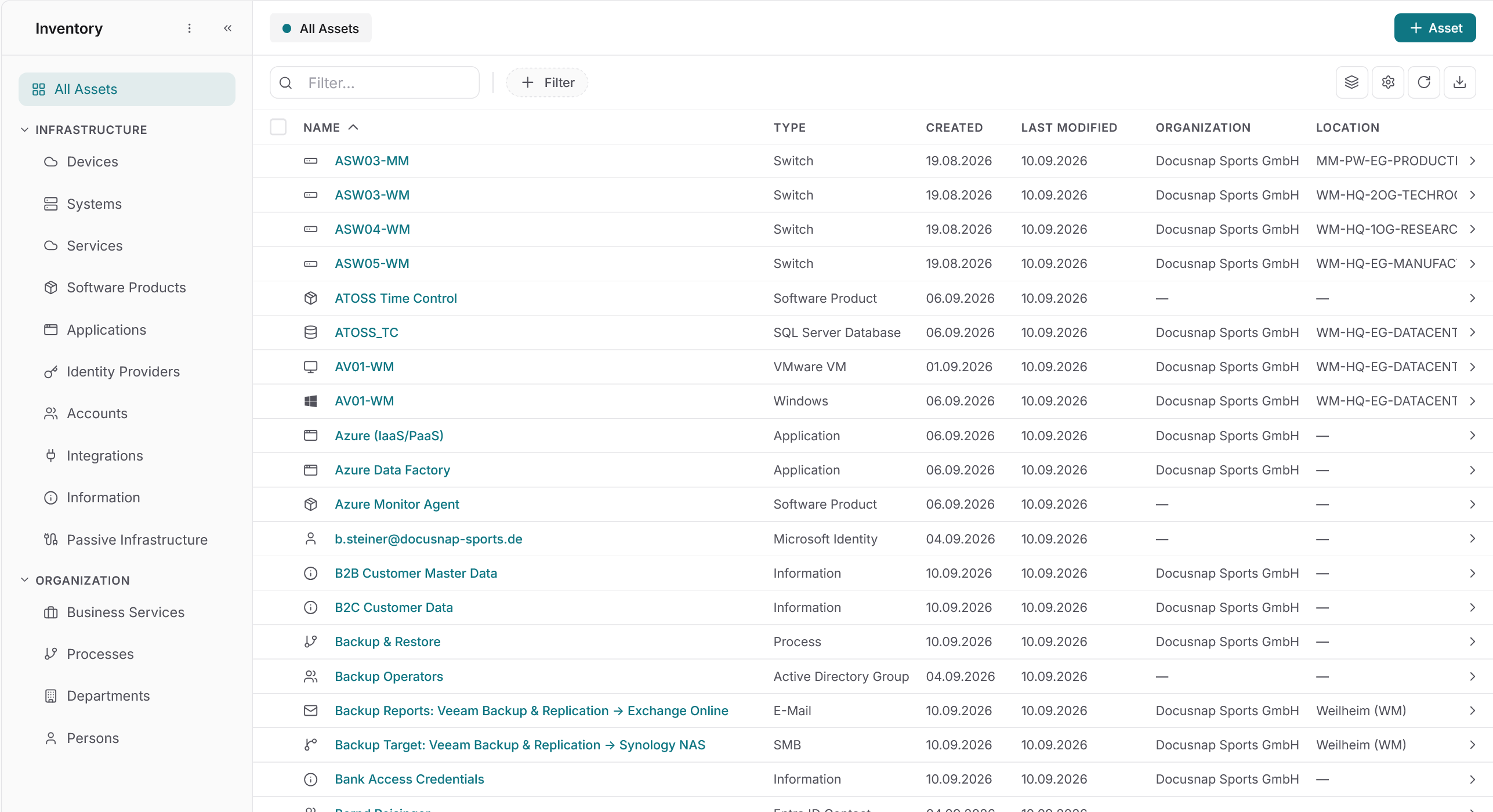
Central data repository
One inventory for your entire IT infrastructure
Over 25 scan modules capture your IT infrastructure automatically and bring on-premises and cloud environments together in a single CMDB. Business structures, dependencies and responsibilities complement the technical inventory. The result is a central knowledge base for the organization, so you make decisions on data instead of gut feeling. The AI chat lets you query that data in natural language.
Dependencies
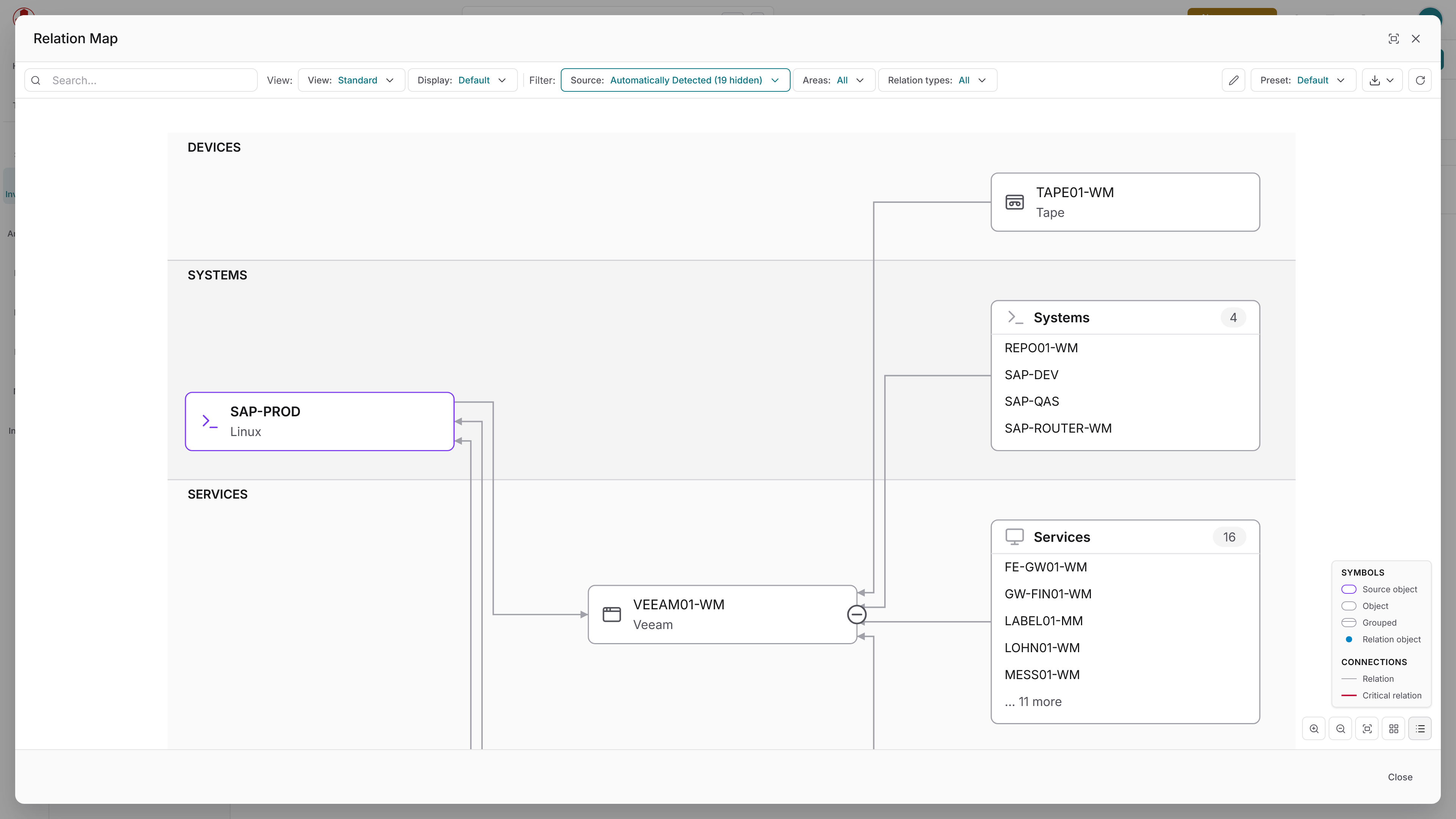
Make relationships between IT components visible
Collecting individual objects is not enough. A CMDB becomes valuable when it also understands how they connect. Docusnap365 detects the relationships between IT components automatically and displays them graphically. Which server is connected to which switch? Which application runs on which virtual machine? The relationship graph answers these questions at a glance. And before any planned change, the dependency analysis shows which systems are affected. That way you prevent outages instead of explaining them after the fact.
Automatic detection
Docusnap365 detects the relationships between IT components during the inventory, with no manual effort.
Graphical view
Dependencies are displayed visually, so you see at a glance how your infrastructure fits together.
Critical connections
Flag connections that need special attention in case of an outage, directly in the documentation.
IT maps
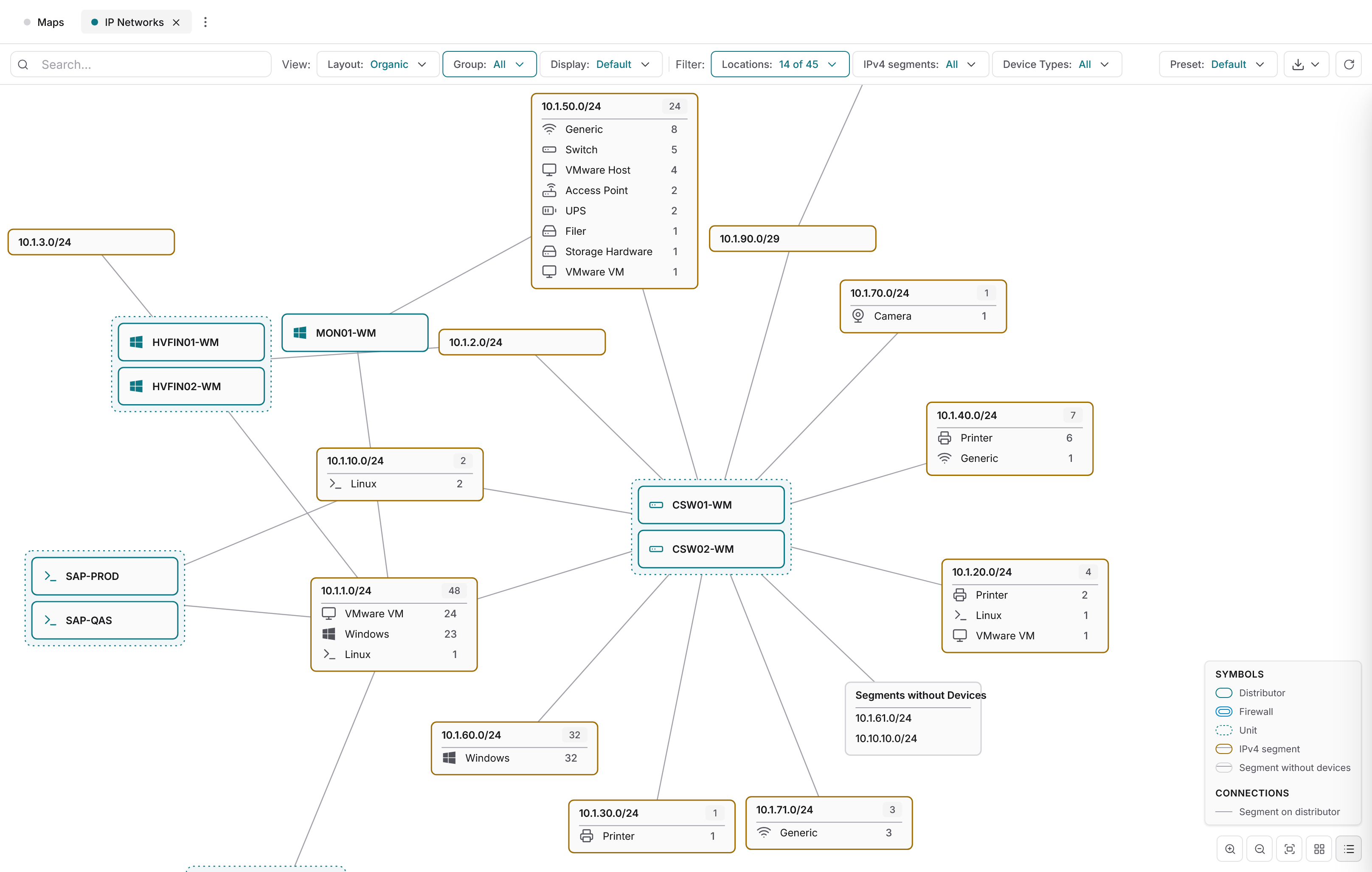
Topology maps, network maps and more, straight from the CMDB
Docusnap365 generates topology maps, network maps and routing maps from the inventoried data. The maps update with every scan and can be exported as Visio or PDF. Your admins spend less time on documentation and more on operations. New team members understand the infrastructure right away.
Flexibly extensible
Your CMDB, your rules
Docusnap365 documents the infrastructure automatically. Everything else is up to you.
Bulk import
Import existing data straight into the CMDB, without creating every record by hand.
Custom object types
Create your own object types and fields that match your IT landscape exactly.
Manual relationships
Add relationships between objects manually where automatic detection cannot reach.
File attachments
Upload additional files such as contracts, manuals or configuration files directly to the relevant objects.
AI chat and MCP
Ask questions about your documentation in natural language. The AI chat searches the CMDB and returns context-aware answers.
AI chat
Ask your IT documentation
The AI chat searches the CMDB and responds in natural language. Instead of setting filters or building a report, just ask the question directly.
42 servers at the Munich site, 31 of them virtual on four hosts.
Seven servers run Windows Server 2012 R2, support ended in October 2023.
18 accounts across three groups, four of them with full access.
96 clients and five servers have had no update for more than 30 days.
Four instances on three servers, two of them holding ERP databases.
Ready to get more out of your IT documentation?
Compliance
Traceably documented when it counts
Audits, security incidents or a change in management: anyone responsible for IT needs documentation that proves who changed what and when. Docusnap365 delivers that traceability with no extra effort, because it is built into the platform. ISO 27001, NIS2 and cyber insurance policies require up-to-date IT documentation. Because Docusnap365 creates it automatically, your next audit will not be a special project.
Frequently asked questions about IT documentation with Docusnap365
Which areas of the IT infrastructure does Docusnap365 capture automatically?
How does Docusnap365 detect the relationships between IT components?
Can existing data be imported into Docusnap365?
What do AI chat and MCP mean in Docusnap365?
How does Docusnap365 support compliance requirements?
IT documentation that works, not just exists
Try Docusnap365 and see in your own environment what automatic inventory, dependency detection and IT maps make of a CMDB.