Why Docusnap 15
Local data storage, technically deep analysis and inventory coverage that extends to systems other tools don't reach. Docusnap 15 runs on your Windows Server with your SQL Server database.
When Docusnap 15 is the right choice
Data stays in your own network
Docusnap 15 stores all inventory data in a local SQL Server database. The entire application runs within your network. For organizations with regulatory requirements for local data storage or an internal no-cloud policy, this is the right architecture.
Technically focused documentation
Inventory in Docusnap 15 maps the structure of source systems directly: Active Directory with OU trees and GPOs, VMware with the ESXi host hierarchy, Exchange with mailbox configurations. On top of that, over 200 ready-made reports, an integrated report designer for custom analysis and Docusnap Connect for individual database queries. If you need deep technical insight, you'll find it here.
Broad platform coverage
Docusnap 15 inventories current platforms like VMware, Microsoft 365 and Azure just as well as established systems that are still in productive use across many environments: Exchange Server 2010 to 2019, SharePoint Server 2007 to 2019, HP-UX, Citrix XenServer, Backup Exec, Dell EMC Isilon, Microsoft IIS and IGEL thin clients.
What Docusnap 15 inventories
Docusnap 15 captures IT infrastructure agentlessly using standard protocols (WMI, SSH, SNMP, LDAP). No software is installed on target systems. Scan jobs run on a schedule via the Docusnap Server, and results flow automatically into the local CMDB. Snapshot management keeps previous inventory states available for comparison at any time.
Category | Modules |
|---|---|
Network and directory services | Active Directory, Windows (AD/IP), Linux, macOS, HP-UX, IGEL thin clients, IP scan, SNMP (v1/v2/v3), DHCP, DNS, DFS, CIFS |
Virtualization | VMware (vCenter 4.0–8.0, ESXi), Hyper-V, Citrix XenServer/Hypervisor, Nutanix, Proxmox |
Applications and databases | Microsoft SQL Server (2000–2025), Oracle (10g–23ai), Exchange Server (2010–2019), SharePoint (2007–2019), Microsoft IIS (6.0–10), Veeam B&R, Backup Exec |
Cloud | Microsoft 365, Exchange Online, Azure, Amazon Web Services |
Storage | SAN/NAS systems, Dell EMC Isilon |
Docusnap 15 also captures communication paths between systems and offers autonomous discovery modules with signature verification. Data that cannot be scanned automatically can be added via CSV/Excel import or manual entry.
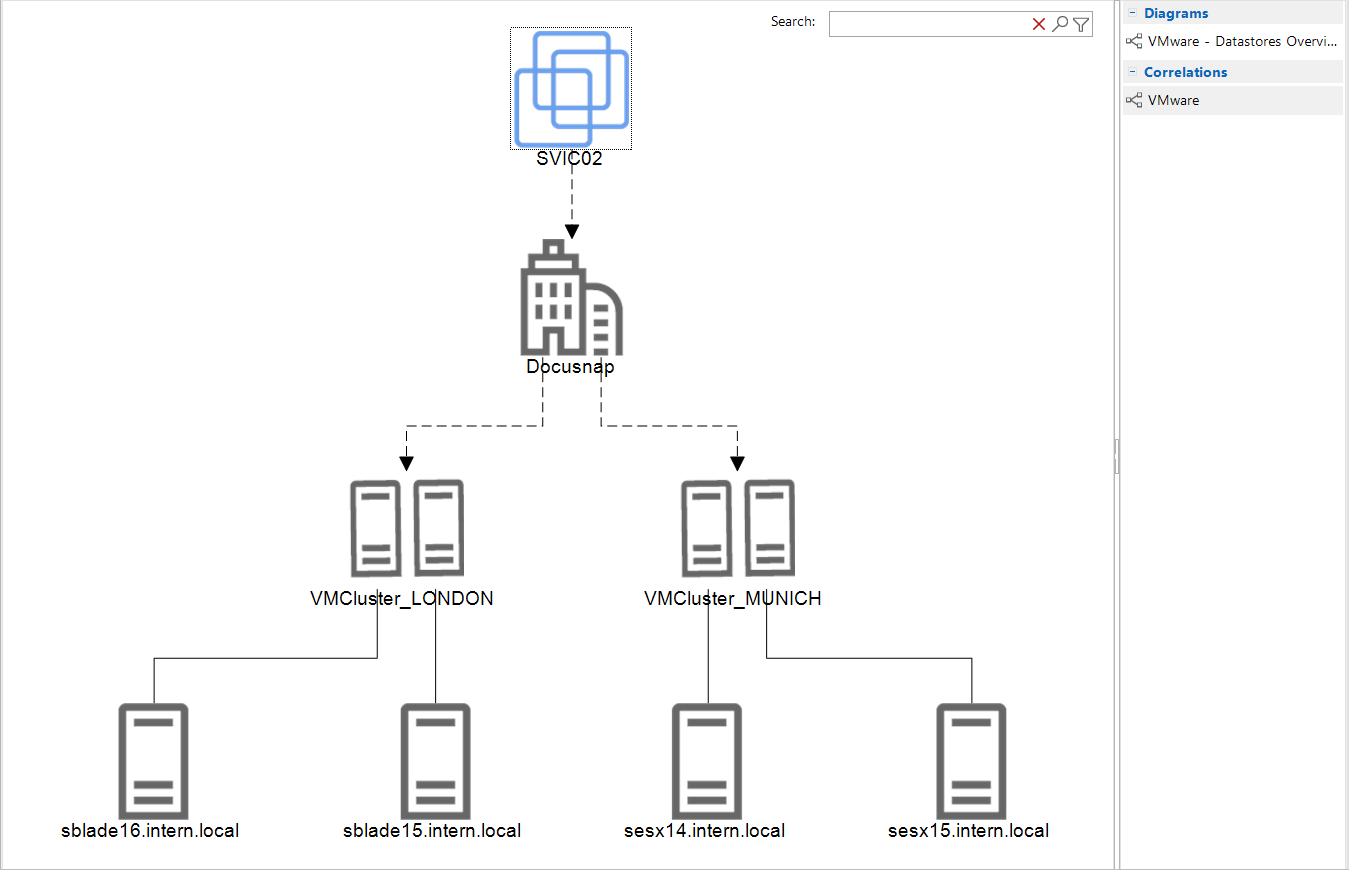
Documentation, analysis and compliance
Reports and IT concepts
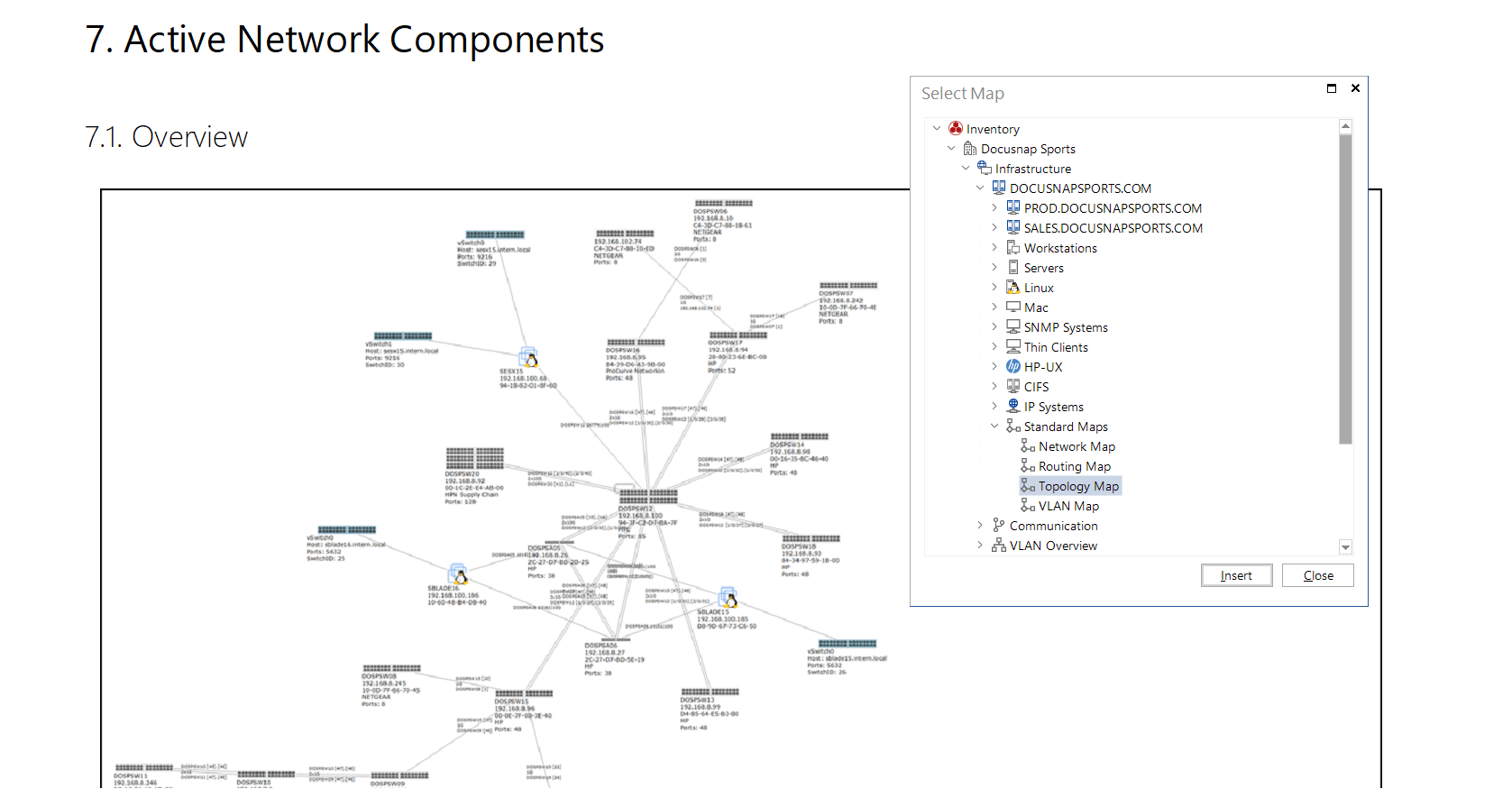
Docusnap 15 ships with over 200 ready-made reports in Word, Excel, PDF, HTML and ODF. The integrated report designer lets you build custom analysis without external tools. IT concepts combine text modules, dynamic data elements, reports, maps and diagrams into a single document, for example an operations manual or IT disaster recovery plan. Content is automatically refreshed from the CMDB with every generation, and export and delivery run on a schedule.
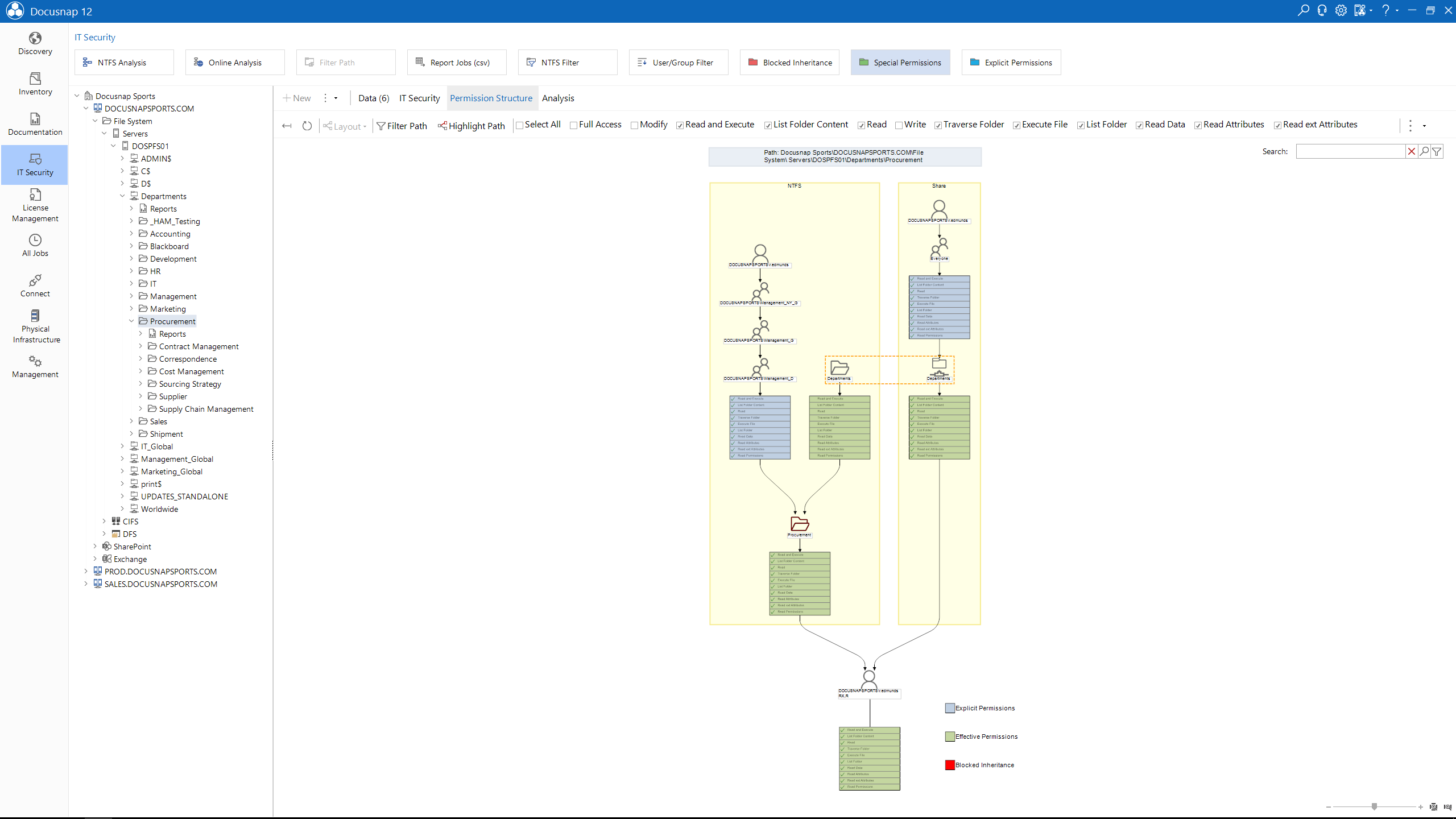
Permission analysis
Docusnap 15 analyzes permissions in the Windows file system (NTFS, ReFS), Microsoft Exchange (2010–2019) and SharePoint (2007–2019). Two analysis directions are available: user view (what can this account access?) and resource view (who has access to this share?). The analysis calculates effective permissions, resolves nested groups and is available as both online and offline analysis.
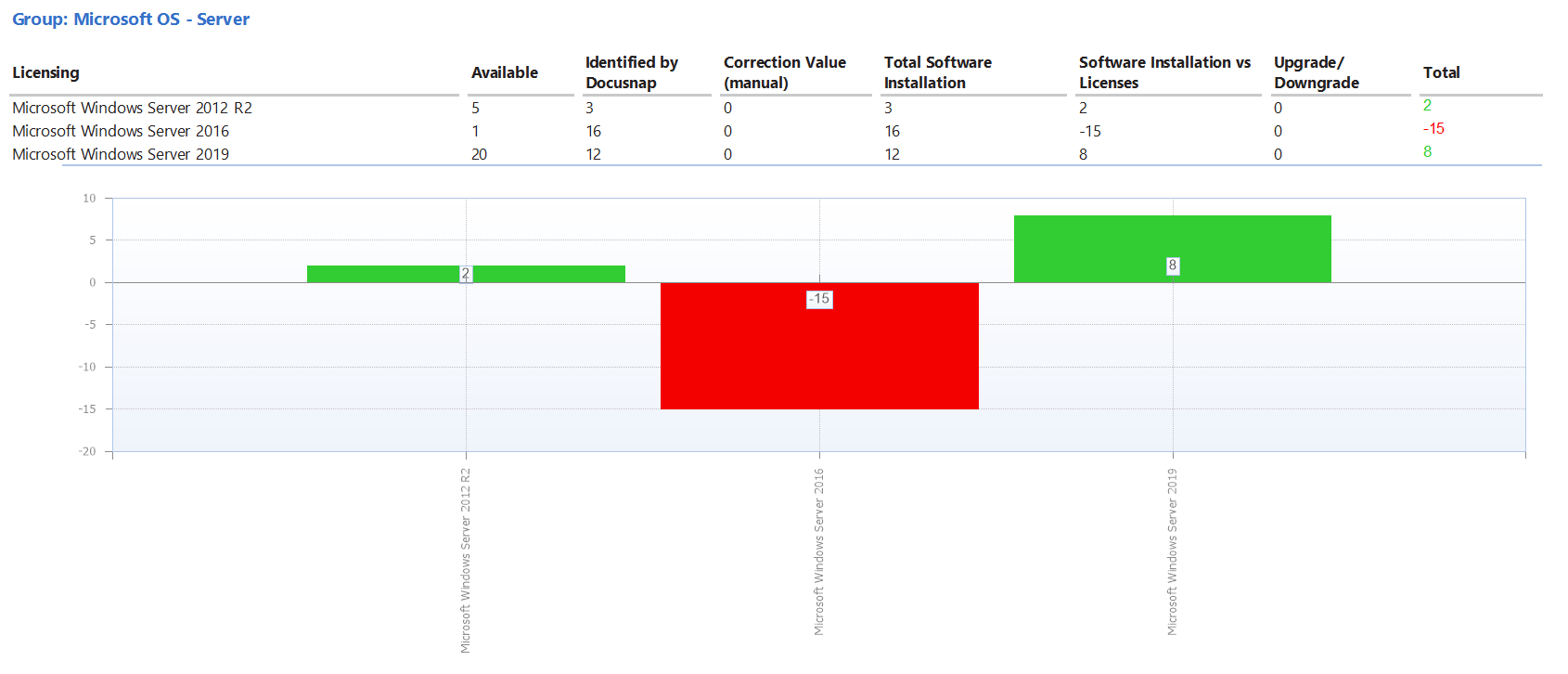
License management
The integrated Software Asset Management (SAM) compares installed software against stored licenses and maintenance contracts. The compliance check reveals over- and under-licensing. Upgrade and downgrade rules, system exclusions and detection of unwanted software are configurable. License data can be imported and exported.
ISMS add-on
A free ISMS add-on with BSI-licensed IT-Grundschutz content is available. It includes business impact analysis with automatic criticality calculation, risk management with a 4×4 matrix, a dynamic IT disaster recovery handbook and compliance documentation. Supported standards: ISO 27001, NIS-2, DORA, GDPR, KRITIS, TISAX, BSI IT-Grundschutz.
ISMS add-on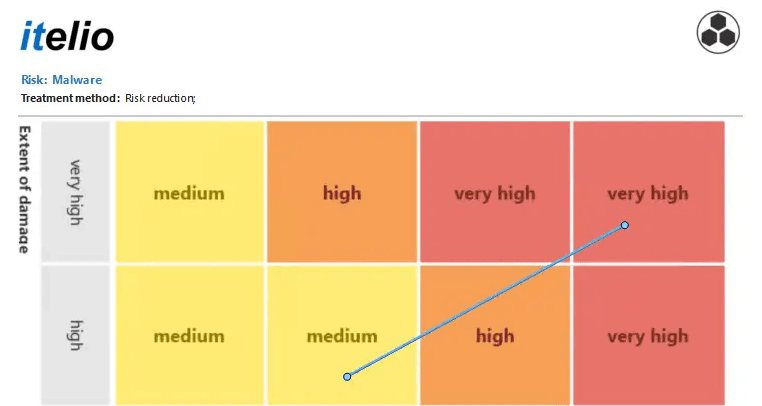
Frequently asked questions about Docusnap 15
Is Docusnap 15 still being developed?
Yes. Docusnap 15 is the current version of the locally installed software and is continuously developed. New inventory modules, platform support and improvements are delivered through regular updates.
What infrastructure do I need for Docusnap 15?
A Windows Server (Windows Server 2016 or later) and a Microsoft SQL Server (2016 SP1 to 2025). The Docusnap client is a Windows desktop application (.NET 4.8). SQL Server Express is sufficient for smaller environments. Full system requirements are available in the documentation.
DocumentationIs there an ISMS module?
Yes, as a free add-on. It includes risk management, business impact analysis, a dynamic IT disaster recovery handbook and compliance documentation for ISO 27001, NIS-2, BSI IT-Grundschutz and other standards. The add-on is downloaded, imported into Docusnap and ready to use immediately.
ISMS add-onHow is Docusnap 15 licensed?
By network size. Network size is the total number of systems (workstations and servers), including Windows, Linux, macOS, Unix and thin clients. SNMP devices such as routers, printers and switches are not counted.
I'd like to compare Docusnap 15 with Docusnap365.
Both products have different strengths. Which one fits your environment best is something we'd be happy to discuss in a personal conversation.
Schedule a consultationTry Docusnap 15
Download the trial version and inventory your environment in minutes. 30 days, full functionality, no purchase obligation.