Solutions
Reduce security risks in your IT systematically
Make vulnerabilities, patch levels and access rights visible, and reduce your attack surface with a shared data foundation.
No credit card. 14 days. Full feature set.
Approach
Establish visibility before measures take effect
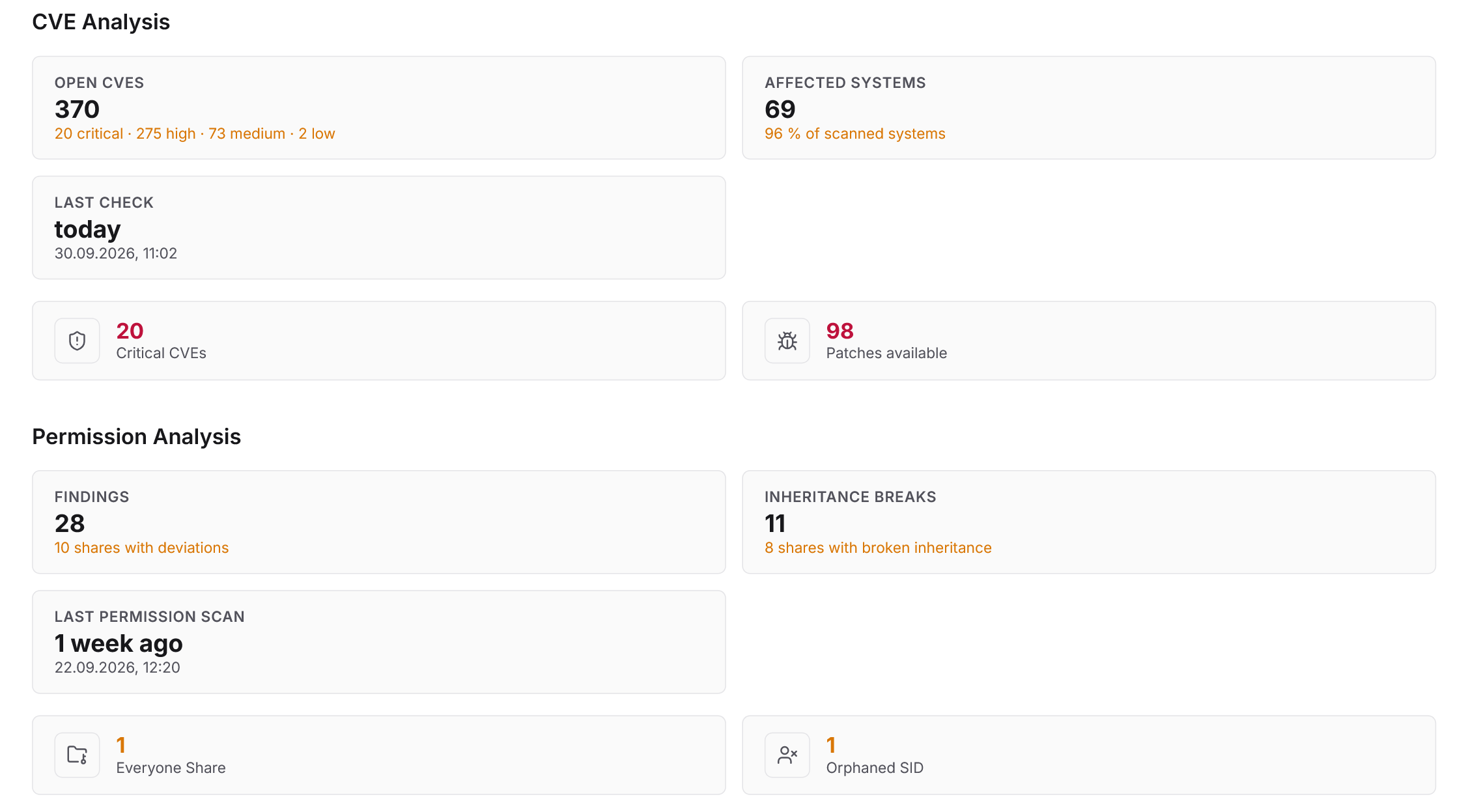
Security risks in IT infrastructure can be reduced systematically once three prerequisites are met: full visibility of the inventory, continuous matching against known vulnerabilities, and transparency over assigned access rights. Docusnap365 delivers all three from one data foundation, the CMDB. Inventory is collected automatically, vulnerabilities matched against actual installations, and permission structures made visible down to inheritance level.
Starting point
Why security risks remain hard to control
IT security typically fails because of missing visibility, not missing tools. Without knowing which software is actually installed, which versions are running and who can access what, decisions rely on guesswork rather than facts.
Unknown vulnerabilities
New CVEs affect thousands of software products every day. Without matching them against the actual inventory, it remains unclear which ones are relevant to the organisation.
Outdated patch levels
Software that is not reached by central patch management stays invisible. Legacy systems and specialist applications fall through the gaps.
Opaque permissions
Nested groups, inherited rights and directly assigned permissions make it difficult to trace who can actually access what.
Siloed data sources
Vulnerability scanners, permission reports and asset lists reside in separate systems. Dependencies only surface during an incident.
Three levers
How Docusnap365 reduces your security risks
Detect vulnerabilities that affect your inventory
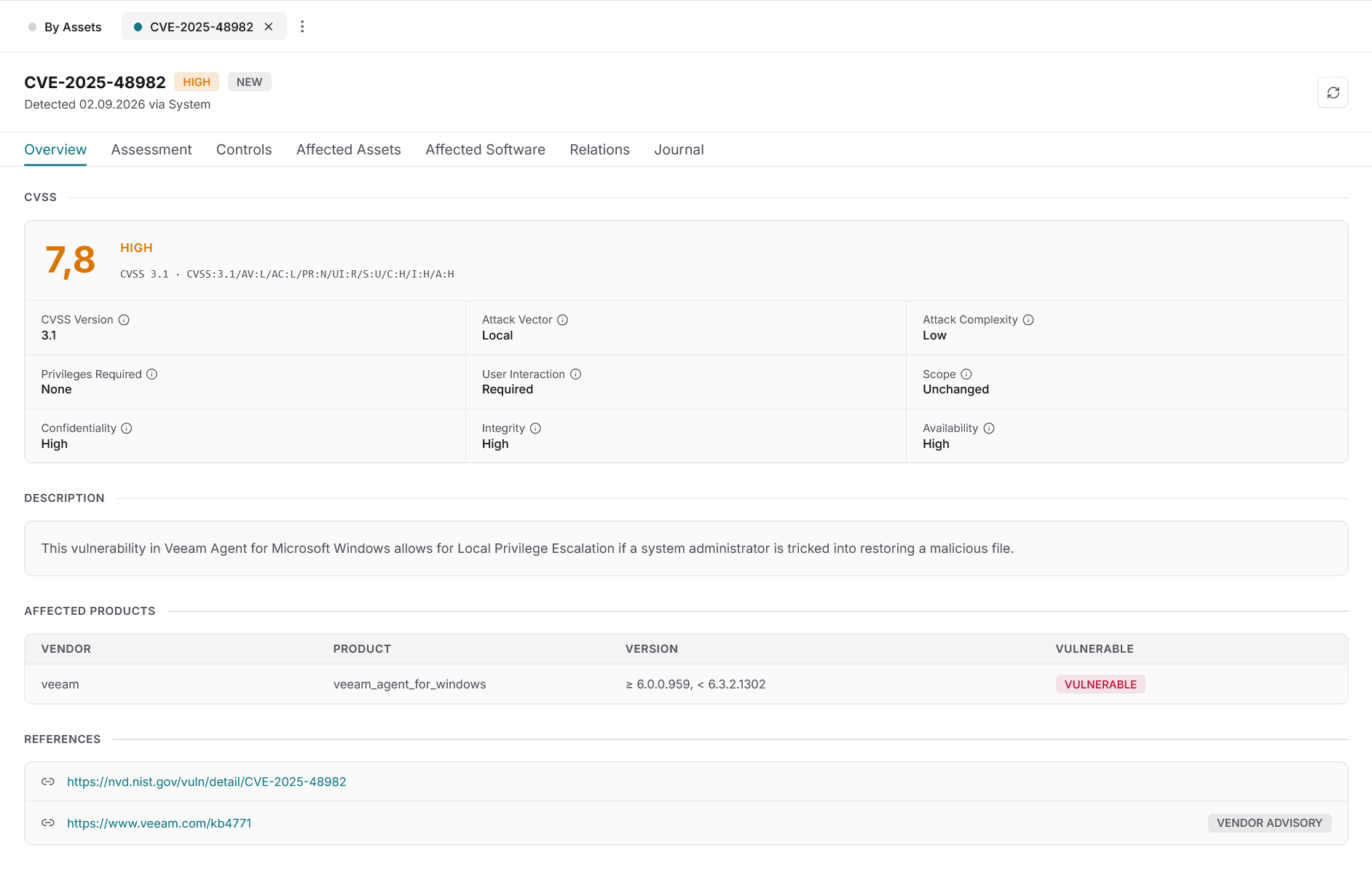
Docusnap365 matches known CVEs automatically against the software versions actually found in your inventory. Only hits that affect installed software and versions are displayed. The matching also covers legacy systems and software that central patch management does not reach. Every vulnerability receives a remediation deadline, an owner and a documented status. Conscious acceptance is recorded as an auditable decision.
Illuminate access rights
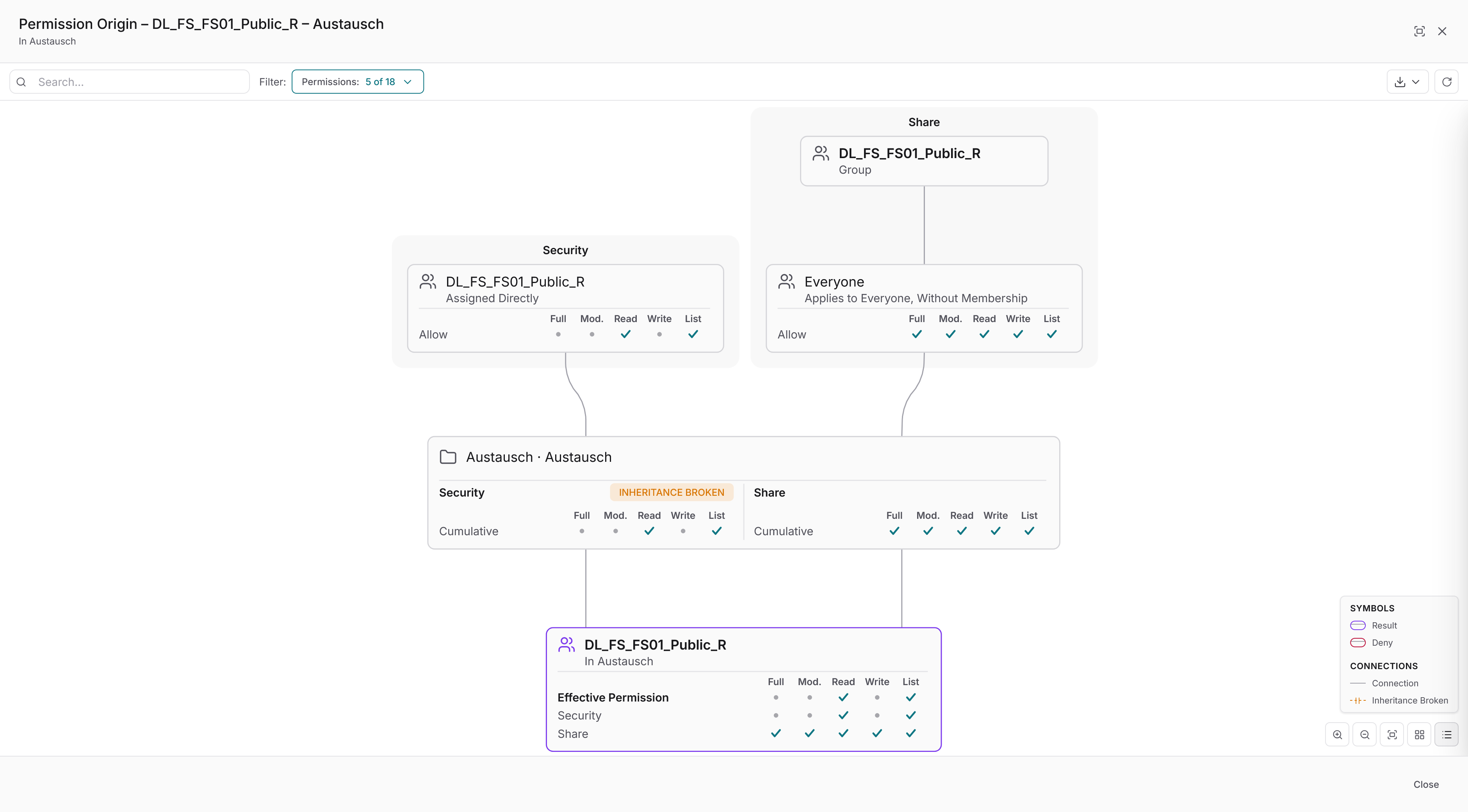
Permissions analysis in Docusnap365 works in two directions: from the user perspective it shows what a given account can access. From the resource perspective it shows who has access to a particular share. Nested groups and inherited rights are resolved graphically. Unwanted permissions that have accumulated over years become visible before they turn into a security incident.
Assess risks and assign measures
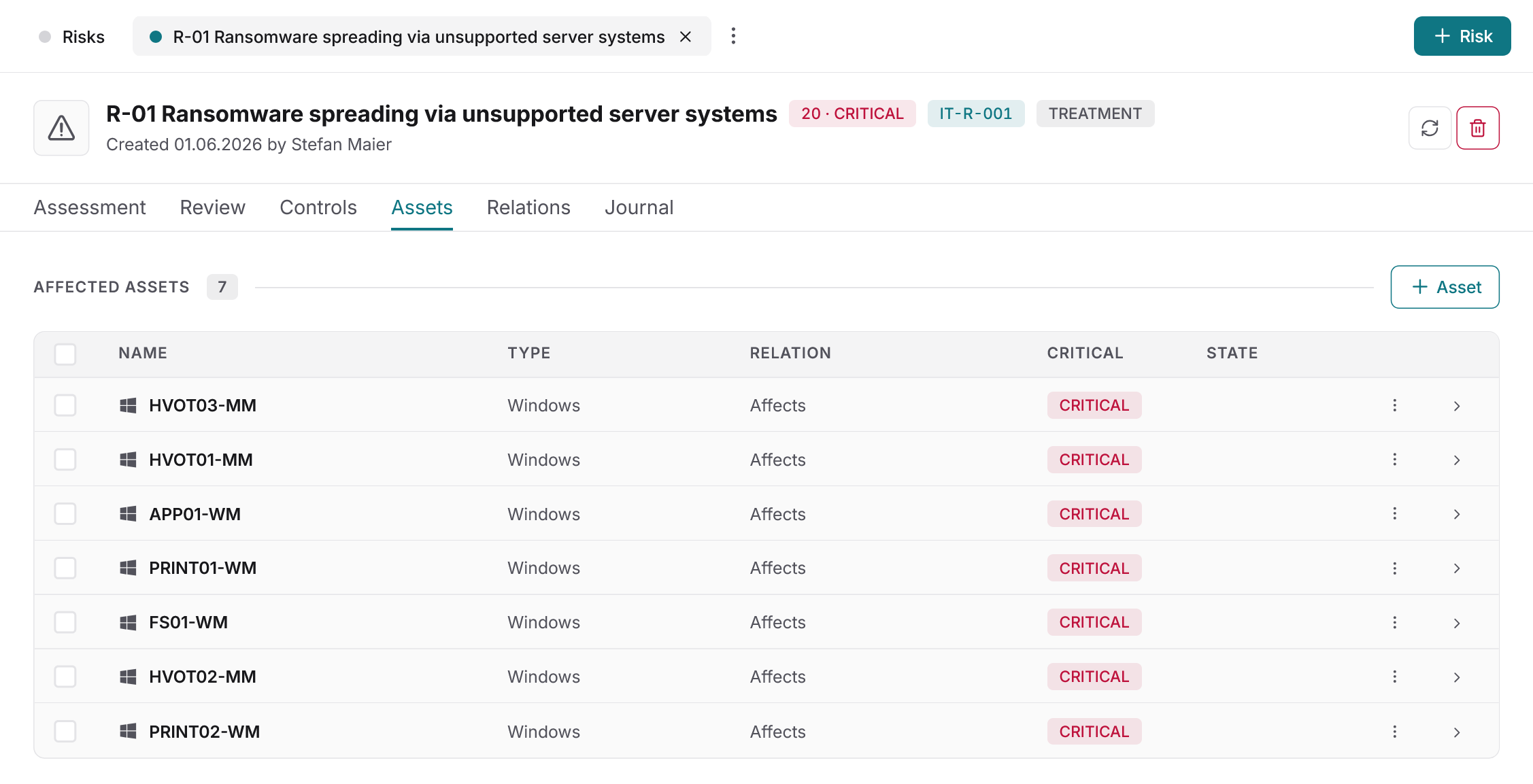
Docusnap365 links risks directly to the real assets in the CMDB. No separate inventory, no duplicate maintenance. Every risk receives an assessment based on likelihood and impact. Measures are derived, assigned to an owner and tracked through their entire lifecycle: from derivation through implementation to effectiveness review. Vulnerability, owner and measure reside in the same system.
Experience Docusnap365 with your own data!
Shared data foundation
The CMDB as the foundation for security decisions
Vulnerabilities, permissions and risk assessments in Docusnap365 operate on the same data foundation: the automatically populated CMDB. Inventoried assets, vulnerabilities, permissions and risk assessments are linked to one another. There is no separate vulnerability inventory and no divergent asset list. What the automatic discovery captures is equally available to vulnerability management, permissions analysis and risk management. For organisations preparing for audits or looking to reduce executive liability, the same data foundation supplies the evidence. And when an IT emergency occurs, it is documented which systems are affected and who had access to them.
Frequently asked questions
Which vulnerabilities does Docusnap365 detect?
Docusnap365 matches known CVEs from publicly available vulnerability databases against the inventoried software estate. Only hits that affect actually installed software and versions are displayed. The matching also covers software that central patch management does not reach.
Do I still need a separate vulnerability scanner?
Docusnap365 does not replace an active vulnerability scanner or penetration testing. It complements these tools by using the inventoried estate as a matching base. This reveals which known vulnerabilities affect the actual inventory, including on systems a scanner cannot reach.
How current is the data in the CMDB?
Currency depends on the scan schedule. Scan jobs can be planned individually: daily, weekly or on a custom schedule. Each discovery module can have its own schedule. Scan results are transferred to the cloud CMDB automatically.
How does Docusnap365 support NIS-2 compliance?
Docusnap365 maps the vulnerability handling process required by NIS-2 end to end: detection, triage, remediation and tracking. Permissions analyses and documented risk decisions supply additional evidence. Docusnap365 does not certify and does not conduct audits; it supplies the structured evidence base.
Can I import existing asset data?
Docusnap365 supports structured data import via CSV and Excel. A REST API and an MCP interface are also available for creating and updating data programmatically. Manually captured assets, contracts and site information can be added directly in the interface.
Make security risks in your IT visible
Try Docusnap365 in your own environment. 14 days free, with the full feature set.
No credit card. No automatic renewal.