Platform
Identify vulnerabilities that actually affect your systems
Docusnap365 automatically matches known CVEs against your inventoried IT estate.
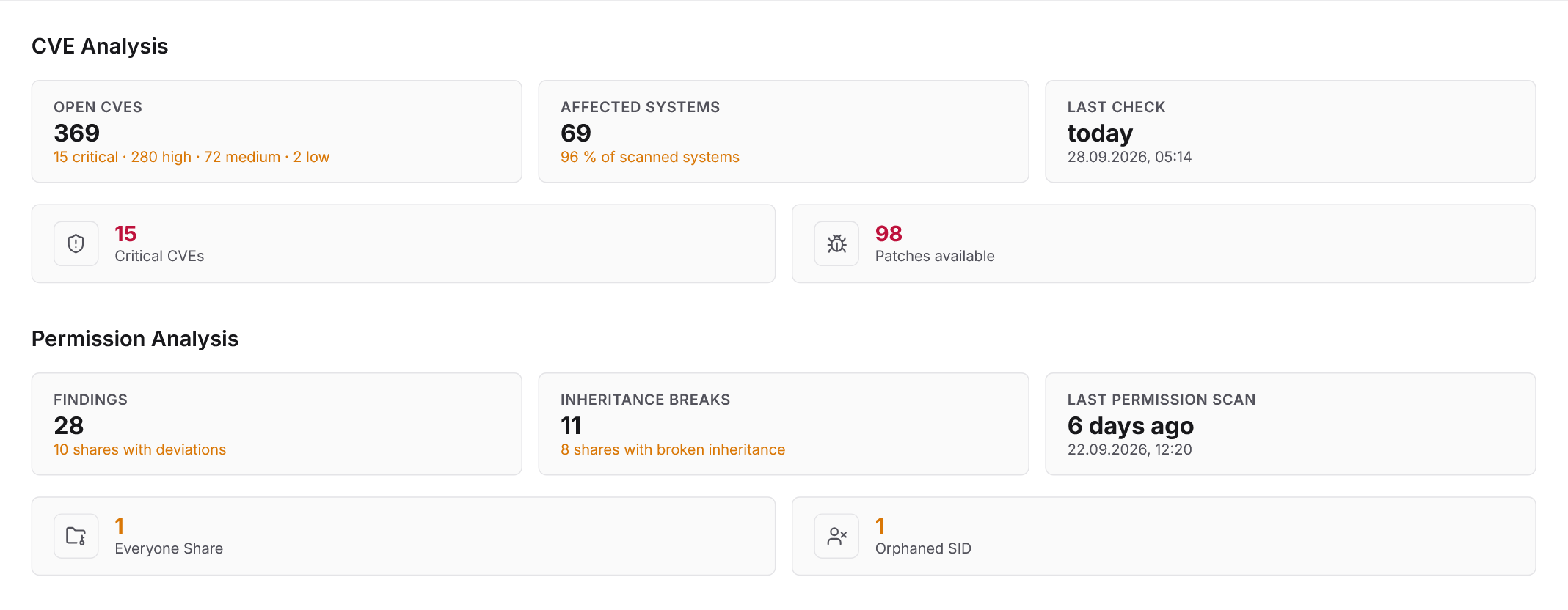
What Docusnap365 does for vulnerability management
Docusnap365 automatically matches known vulnerabilities against your inventoried IT estate. The data comes from agentless discovery and covers hardware, software, and version levels. Each identified CVE includes a severity rating, affected versions, and remediation guidance. The matching also covers legacy systems that traditional patch management does not reach.
How the matching works
From inventory to CVE detection
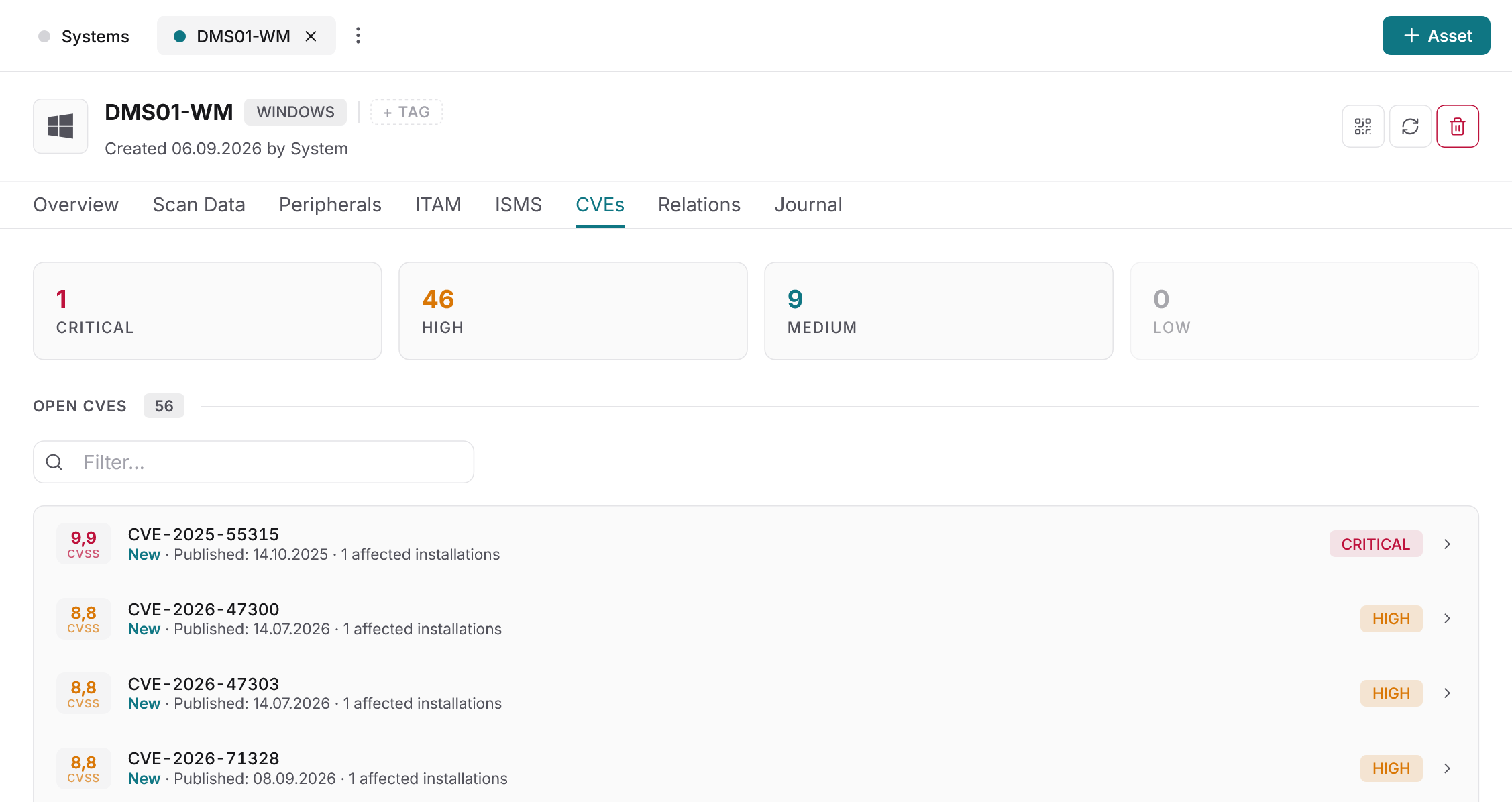
AI-powered analysis
Ask your inventory about vulnerabilities
Instead of filtering reports, ask questions in natural language: Which systems are affected by CVE-2026-XXXX? Where are remediation deadlines expiring? Which critical vulnerabilities affect servers with external connectivity? The AI-powered query searches your inventoried estate and returns answers based on actual data. When a vulnerability makes headlines, you know within minutes whether and where you are affected.
CVE details
Full information on every vulnerability
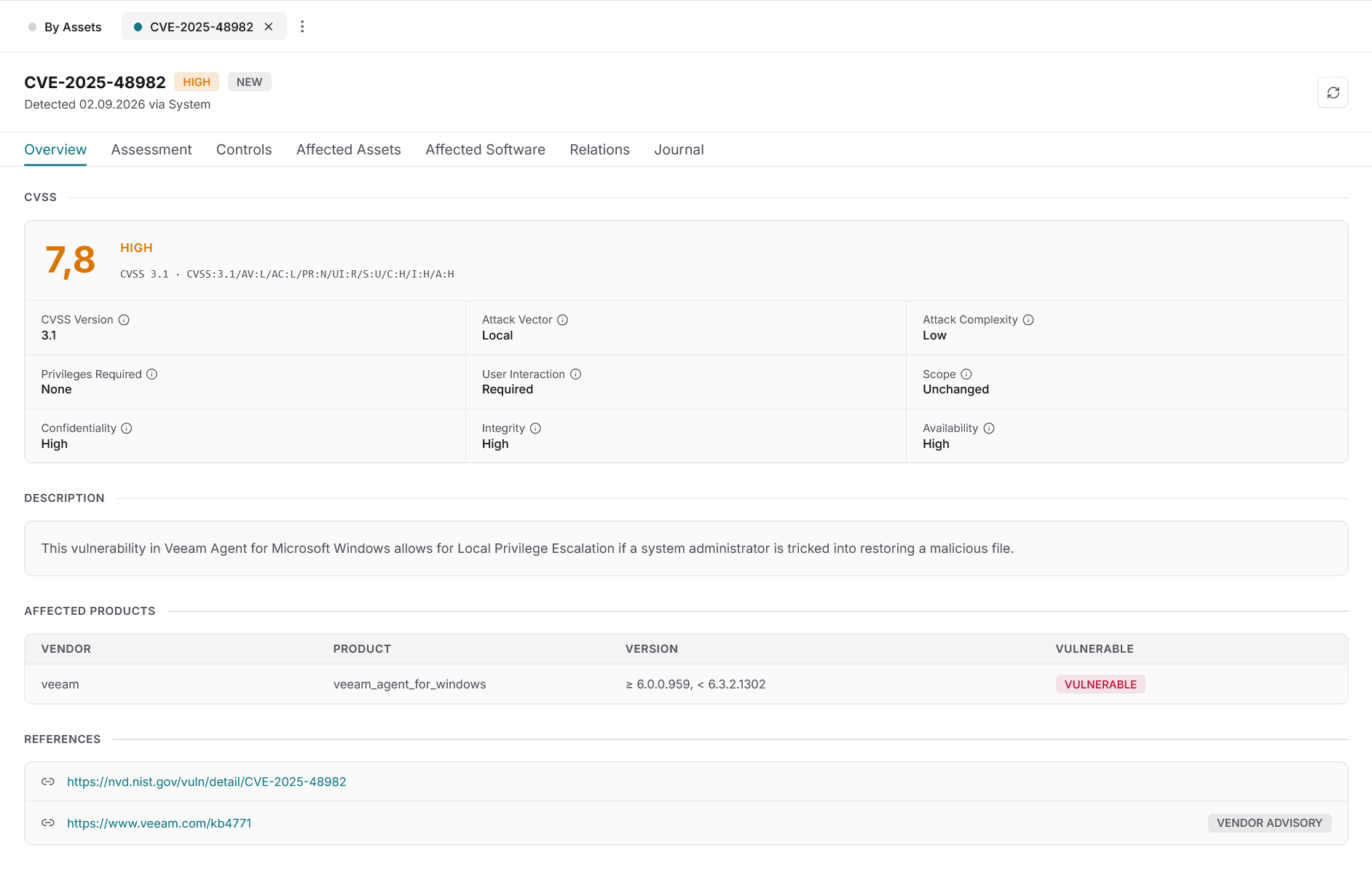
For every identified CVE, Docusnap365 shows a structured detail view: description of the vulnerability, CVSS severity rating, affected software versions, and concrete remediation guidance. Additionally, the permissions assigned on affected systems are visible. This means the risk assessment considers the vulnerability itself and its attack surface in the specific context of your environment.
From finding to fix
Remediate vulnerabilities with full documentation
The path from an identified vulnerability to a documented remediation runs in Docusnap365 without a media break. Assessment, decision, and deadline sit in the same system as the inventory itself.
Deadlines and owners
Every vulnerability receives a remediation deadline and an assigned owner. Open deadlines are visible at any time, escalations are traceable.
Auditable triage
Every assessment is documented and audit-ready. Deliberately accepting a vulnerability is recorded as a decision, including the rationale and the date.
Track remediation
Remediation measures are assigned directly and their status is documented. The entire process maps the NIS2 requirement for handling vulnerabilities as a continuous workflow.
Frequently asked questions about vulnerability management with Docusnap365
Where do the CVE data in Docusnap365 come from?
Does the scan cover systems outside patch management?
How can the process support NIS2 compliance evidence?
What happens when a vulnerability is deliberately not remediated?
Does the IT inventory need manual maintenance for the matching to work?
Identify vulnerabilities in your estate
Try Docusnap365 and see which known CVEs affect your IT environment.