A data foundation that keeps itself current
Docusnap365 discovers your entire IT infrastructure agentlessly and keeps the CMDB up to date with every scan.
A single source of truth for your entire IT infrastructure
CMDB software discovers IT components automatically and maps their dependencies in a central database. The result is a structured, always-current view of the entire infrastructure. Docusnap365 does this agentlessly across more than 25 modules and keeps the CMDB up to date with every scan, no manual upkeep required.
Where IT documentation hits its limits today
Documentation usually runs on the side of daily operations. A server is added, an IP range changes, the update waits for the next quiet moment. A few months later, nobody is quite sure which spreadsheet holds the current state.
Data goes stale faster than planned
New VMs, migrated services, changed IP ranges: every infrastructure change requires a manual update. In practice, that backlog only grows.
Information lives in too many places
The network diagram is in Visio, the IP list in Excel, credentials in a wiki. When an incident hits, the team searches for the right file first.
Audits take days to prepare
Every auditor question creates work because asset data, permissions, and configurations have to be pulled together from multiple sources.
Knowledge depends on individuals
When the person who has the overview is out, the rest of the team loses its working foundation. The documentation is tied to people, but the infrastructure concerns everyone.
Three steps to a current CMDB
Set up the gateway
The Docusnap Enterprise Gateway (DEG) is installed locally in your environment. It connects your infrastructure to the Docusnap365 cloud via an outbound HTTPS connection.
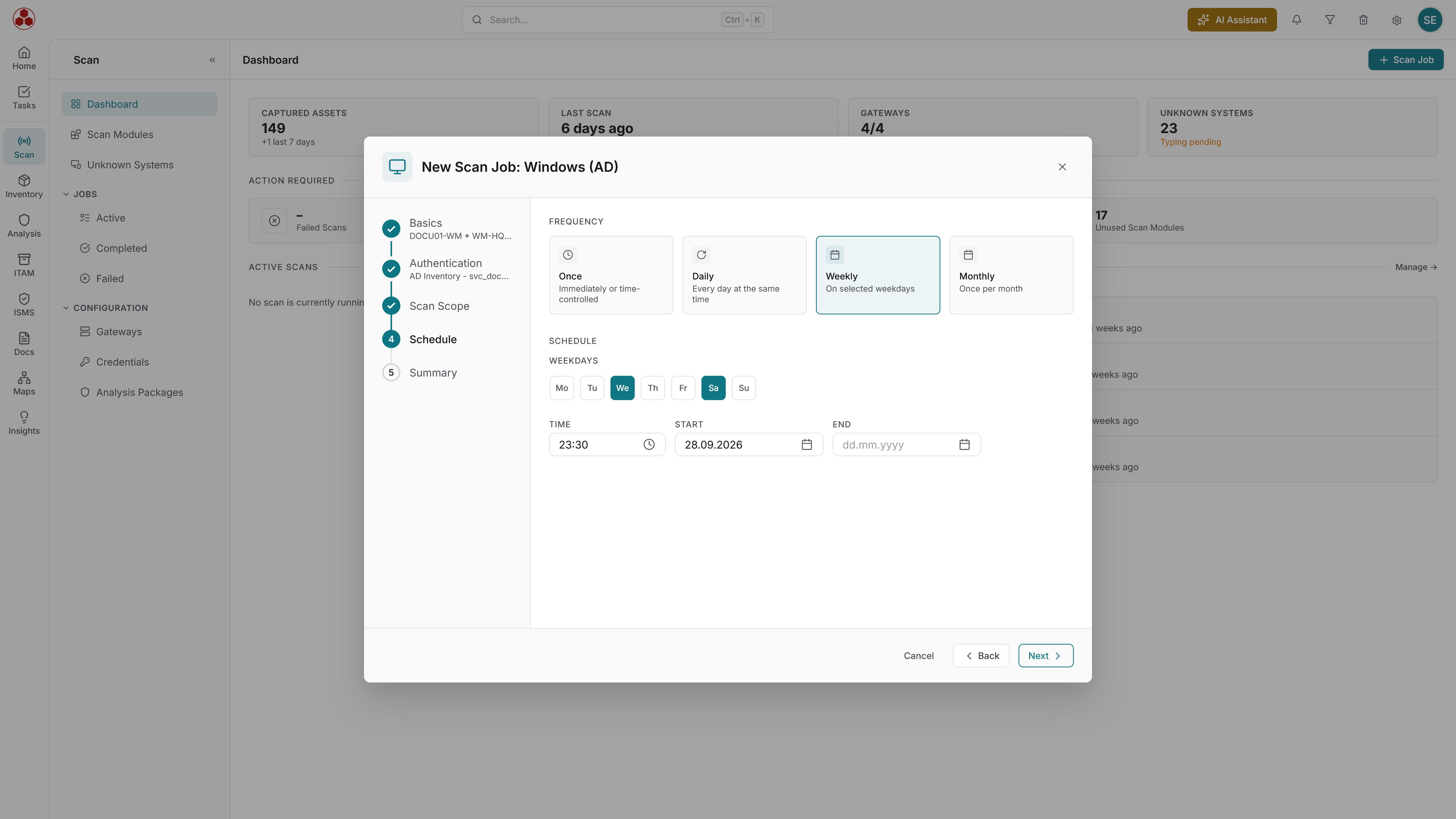
Schedule your discovery
You choose which systems and platforms to cover: Windows, Linux, VMware, Microsoft 365, network devices, and more. Each of the modules can run on its own schedule, whether daily, weekly, or at a custom interval.
Use your CMDB
Scan results flow into your cloud CMDB automatically. Dependencies between components are detected, IT maps generated, permissions analyzed.
IT documentation: without and with CMDB software
What changes when documentation is built automatically.
Without CMDB software | With Docusnap365 |
|---|---|
Documentation goes stale with every change. New VMs, migrated services, changed IP ranges: all manual upkeep. | Every scan captures the current state automatically. New systems, changed configurations, and cloud services are documented after the next run. |
Network diagram in Visio, IP list in Excel, credentials in a wiki. During an outage, the team searches for the right file first. | Network maps, asset data, and permission reports in a single cloud CMDB. One search, one source, one current state. |
Audits take days to prepare. Every auditor question creates work because data has to be pulled from multiple sources. | Reports, topologies, and permission evidence can be exported at the push of a button: as PDF, Visio file, or via API. |
When the person who has the overview is out, the rest of the team loses its working foundation. | Documentation belongs to the organization. Everyone on the team sees the same, current state of the infrastructure. |
25+ discovery modules for your entire IT
Docusnap365 covers on-premises and cloud environments in the same CMDB. Every module is included in every license. Automated discovery runs agentlessly using standard protocols: WMI, SSH, and SNMP.
Servers and clients
Windows, Linux, macOS: hardware, software, services, and network configuration.
Virtualization
VMware, Hyper-V, Proxmox, and Nutanix: VMs, hosts, datastores, and snapshots.
Cloud services
Microsoft 365, Intune: users, licenses, groups, Teams, managed devices, and compliance policies.
Network devices
Switches, routers, printers, and access points via SNMP and Cisco Meraki.
Databases
Microsoft SQL Server, MySQL, and Oracle: instances, schemas, and permissions.
Directory services and DNS
Active Directory, DHCP, DNS, and DFS: users, groups, OUs, GPOs, zones, and namespaces.
One platform for your entire IT documentation
CMDB software is the starting point. Docusnap365 connects the discovered data with modules for IT documentation, information security, asset management, and compliance, all on the same data foundation.
IT documentation
Network, topology, and routing maps generated directly from discovered data. Updated with every scan, exportable as Visio and PDF.
ISMS and compliance
Risk management, permission analysis, and measure tracking on the CMDB data layer. Structured evidence for ISO 27001, NIS-2, and BSI IT-Grundschutz.
IT asset management
Lifecycle documentation, cost tracking, and warranty status. Every asset has an owner, a location, and a cost center.
Vulnerability management
Automated CVE matching against the discovered inventory. Remediation deadlines, owners, and triage decisions documented.
Query the CMDB in natural language
Instead of setting filters and exporting reports, you ask the discovered data directly.
42 servers at the Munich site, 31 of them virtual on four hosts.
Seven servers run Windows Server 2012 R2, support ended in October 2023.
18 accounts across three groups, four of them with full access.
96 clients and five servers have had no update for more than 30 days.
Four instances on three servers, two of them holding ERP databases.
Frequently asked questions about CMDB software
What does CMDB stand for, and what does a configuration management database do?
CMDB stands for Configuration Management Database. It records every IT component in an organization and maps the dependencies between them in a central database. The result is a structured overview that serves as the foundation for change management, incident analysis, and compliance evidence. Unlike a simple inventory list, a CMDB also captures relationships: which service runs on which server, which systems depend on each other, and which permissions are assigned.
How does the CMDB stay current when the infrastructure keeps changing?
Docusnap365 runs scheduled scans that capture the current state of the IT infrastructure automatically. Each of the 25+ discovery modules can have its own schedule: daily, weekly, or at a custom interval. Scan results flow into the cloud CMDB automatically, so the documentation grows with every change.
Which systems and platforms does Docusnap365 cover?
Docusnap365 discovers 25+ platform and system types: Windows, Linux, and macOS; virtualization environments such as VMware, Hyper-V, Proxmox, and Nutanix; cloud services including Microsoft 365 and Intune; network devices via SNMP and Cisco Meraki; databases such as SQL Server, MySQL, and Oracle. Directory services (Active Directory, DNS, DHCP), storage systems, and backup solutions like Veeam are covered as well.
Does Docusnap365 require agents on the target systems?
Docusnap365 works entirely agentlessly. No software is installed on the target systems. The locally installed Docusnap Enterprise Gateway (DEG) runs scans using standard protocols: WMI, SSH, and SNMP. Credentials stay exclusively in the DEG and are never transmitted to the cloud.
How does CMDB software help with audits, for example under ISO 27001 or NIS-2?
A current CMDB provides the data auditors need for their assessments: asset inventories, permission analyses, network topologies, and change histories. Docusnap365 exports this information as PDF, Visio file, or via the REST API. Reports and evidence are available at the push of a button.
What sets CMDB software apart from an inventory spreadsheet?
An inventory spreadsheet lists devices and software. CMDB software also maps the dependencies between components: which service runs on which server, which systems depend on each other, which permissions are assigned. That relationship knowledge makes the difference in incident analysis, change assessments, and compliance evidence. On top of that, a CMDB like Docusnap365 stays current automatically, while a spreadsheet is only as good as its last manual entry.
Ready to build your CMDB automatically?
From the first scan to a complete CMDB: Docusnap365 discovers your IT infrastructure agentlessly and keeps the documentation current with every run.