Warranties and lifecycle under control
Docusnap365 shows which devices are falling out of warranty, where end of life is approaching and what needs attention next.
More than 5,000 organizations document their IT with Docusnap
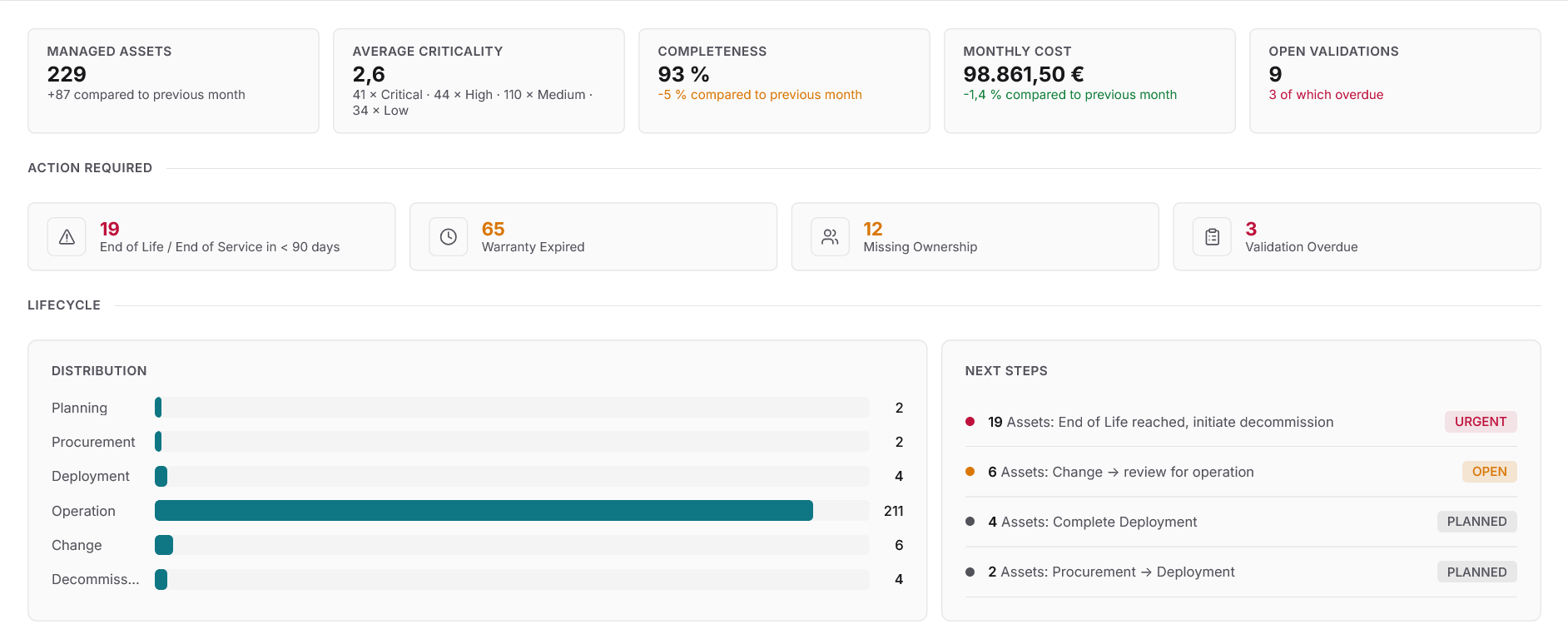
Warranties, lifecycle and deadlines in one place
IT asset lifecycle management starts with automatic inventory and serial numbers checked against manufacturer databases, revealing which devices are out of warranty and where end of life is approaching. In practice, warranty data sits in spreadsheets, EOL dates on vendor portals and contracts with procurement. Docusnap365 brings it all into one CMDB and turns deadlines into tasks.
What happens when warranty and EOL data falls through the cracks
When warranty deadlines and lifecycle data are tracked manually, gaps are inevitable. The consequences are concrete and costly.
Warranty expired, nobody noticed
A server fails and the warranty ran out three months ago. Instead of a manufacturer replacement, you face an unplanned purchase, rush fees included, plus downtime.
End of life missed, security gap open
Software that has reached end of life no longer receives security updates. As long as it stays in production, the attack surface grows with every new CVE that goes unpatched.
Investment decisions based on guesswork
Without a current view of asset age, warranty status and condition, budget planning relies on estimates. The result: devices get replaced too early or too late.
Three steps to full lifecycle visibility
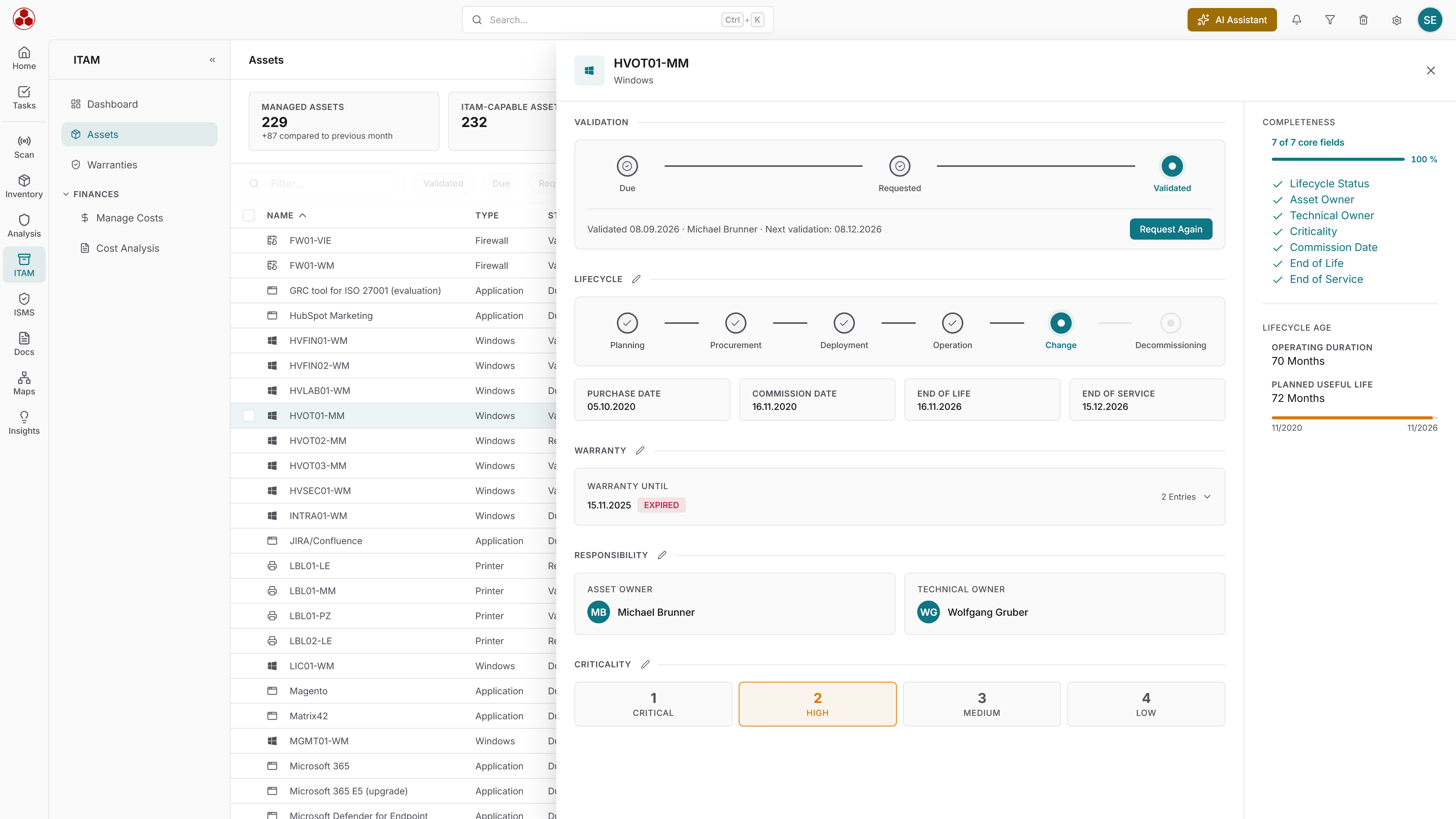
Predictable IT instead of surprises
When warranty status, EOL dates and lifecycle information are available automatically, IT teams plan ahead instead of reacting to failures. Age, lifecycle status and utilization reveal upcoming investment needs. Budgets are based on the actual state of the infrastructure, not on estimates. Deadlines are met because they land as a task with the person responsible. And when leadership asks about the state of IT, the numbers are available in minutes.
Build a complete IT inventory
Lifecycle management requires a full view of your assets. This is how you build the inventory that everything else rests on.
Make IT costs transparent
Procurement, maintenance, licenses and depreciation per asset, department and location. The cost basis for sound investment decisions.
Pass audits with confidence
A documented lifecycle, traceable decisions and verifiable deadlines deliver the evidence an audit team expects.
Take control of warranties and lifecycle today
Start free with Docusnap365 and see the warranty and lifecycle status of your IT.