Build a Complete IT Inventory
Hardware, software, cloud services and identities in one shared database, automatically discovered and always up to date.
More than 5,000 organizations document their IT with Docusnap
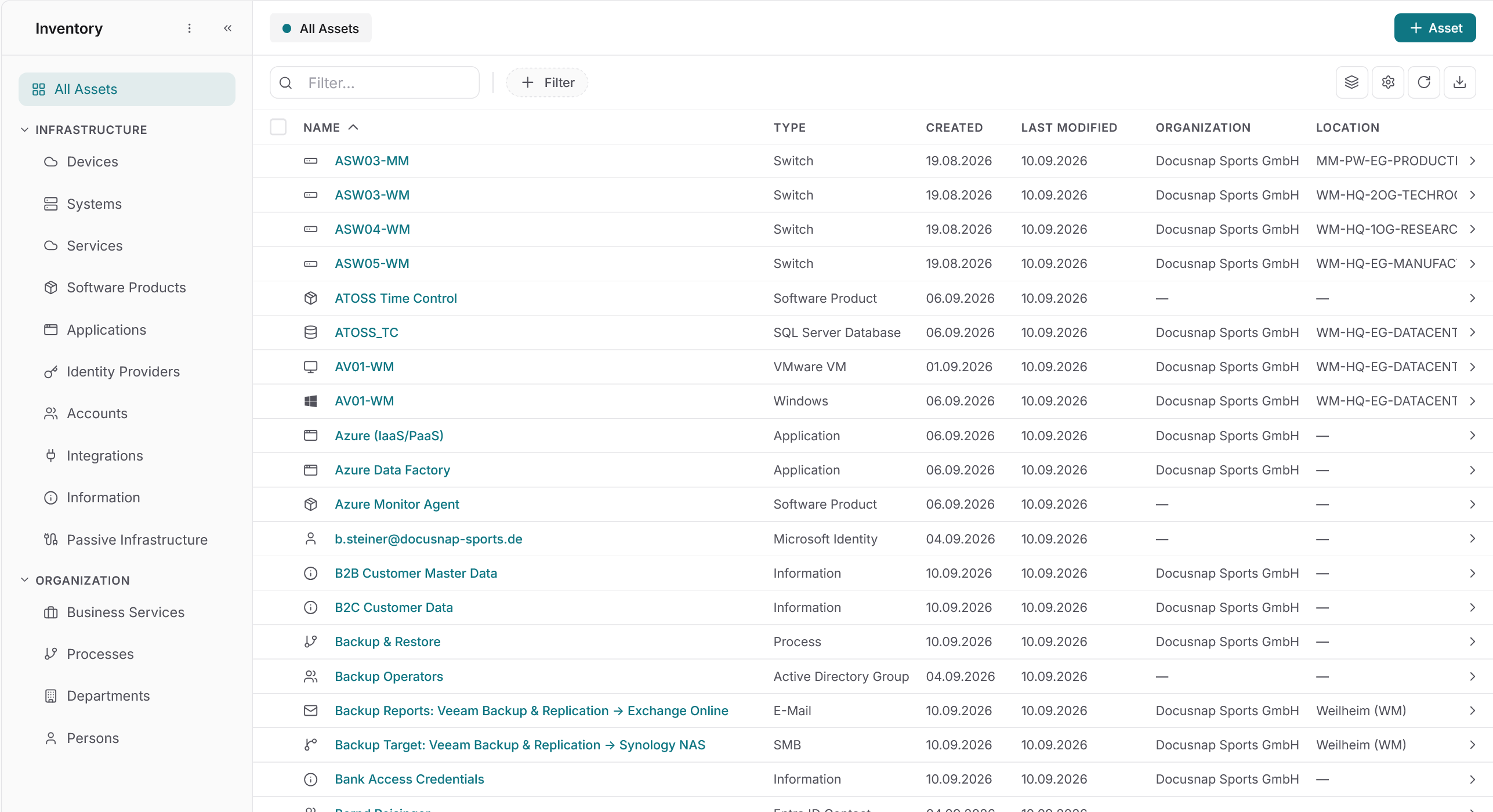
How a complete IT inventory comes together
A complete IT inventory is built in three steps: automated scans discover servers, clients, cloud services and network devices without agents. Systems that no scan can reach are added manually or via import. Scheduled rescans keep the inventory current. Docusnap365 brings all results together in a single shared CMDB.
Discover automatically
Docusnap365 scans your IT environment through a locally installed Enterprise Gateway, without agents on the target systems. The scan covers more than 25 modules including Windows, Linux, macOS, Microsoft 365, VMware, Hyper-V, databases and network devices. For the full details, see the page on automated discovery.
Supplement where needed
Not everything can be scanned. Mobile devices, contracts or site information can be entered directly in the interface, via file import, through the REST API or with the built-in AI assistant. New entries are automatically linked to existing records in the CMDB.
Stay current automatically
Scheduled scans repeat the discovery at intervals you choose, keeping the inventory current without manual effort. More on the page Keeping IT documentation up to date.
What Docusnap365 discovers
Docusnap365 IT discovery covers on-premises systems and cloud environments in the same CMDB. Every module is included in every license. Additional solution approaches around IT documentation build on this inventory.
Windows, Linux, macOS
Operating systems, installed software, hardware details, network configuration and services.
Cloud and identities
Microsoft 365 with users, licenses, Teams and SharePoint. Microsoft Intune with managed devices and compliance policies. Active Directory with users, groups, OUs and GPOs.
Virtualization
VMware with ESXi hosts, vCenter and VMs. Hyper-V, Proxmox and Nutanix with clusters, VMs and storage configurations.
Network and infrastructure
SNMP devices such as switches, routers and printers. IP scans, DHCP, DNS, DFS and Cisco Meraki.
Databases
Microsoft SQL Server, MySQL and Oracle with instances, schemas and permissions.
Backup and storage
Veeam Backup & Replication with jobs and protected machines. SAN/NAS systems with volumes and LUN mappings.
What makes this approach work
Agentless
No software is installed on the target systems. The Enterprise Gateway scans via standard protocols. Credentials stay in the local gateway and are never transmitted to the cloud.
One CMDB for everything
On-premises systems, cloud services and manually captured assets land in the same database. No duplicate maintenance, no reconciliation between separate tools.
Scales without limits
No cap on sites or gateways. Segmented environments with separate security zones are supported through the tier model. All data flows into one CMDB.
Extensible
Custom fields, custom object types and custom queries without development effort. Discovery scripts extend the scan with individual data points.
Common questions about building an IT inventory
Which systems does Docusnap365 discover automatically?
Docusnap365 discovers more than 25 platform and system types: Windows, Linux, macOS, Microsoft 365, Microsoft Intune, Active Directory, VMware, Hyper-V, Proxmox, Nutanix, SNMP devices, databases (SQL Server, MySQL, Oracle), Veeam, storage systems and more. Every module is included in every license.
Does software need to be installed on the target systems?
No. Docusnap365 works without agents. The locally installed Enterprise Gateway (DEG) scans via standard protocols such as WMI, SSH and SNMP. Nothing is installed on the target systems.
How are systems captured that a scan cannot reach?
Mobile devices, contracts or site information can be created directly in the interface, imported via CSV or Excel files, or fed in automatically through the REST API. New entries are linked to existing records in the CMDB automatically.
How does the IT inventory stay current?
Scheduled scans repeat the discovery automatically at intervals you choose: daily, weekly or individually per module. The inventory stays current without anyone having to update records by hand.
How does IT discovery work across multiple sites?
A separate Enterprise Gateway is installed at each site or security zone. The number of gateways and sites is unlimited. All data flows into the same cloud CMDB. The only requirement: an outbound HTTPS connection.
Can Docusnap365 connect to existing systems?
Docusnap365 provides a bidirectional REST API and an MCP interface for connecting your own AI tools. Data can be exported in standard formats (CSV, Excel, Visio, PDF). Pre-built connectors are not included. Integration uses the documented API.
From first scan to complete IT inventory
Install a first Enterprise Gateway and run your first scan. Within minutes you will see your own systems in the CMDB.